6 Best Mileage Tracker Apps for Small Businesses in 2026
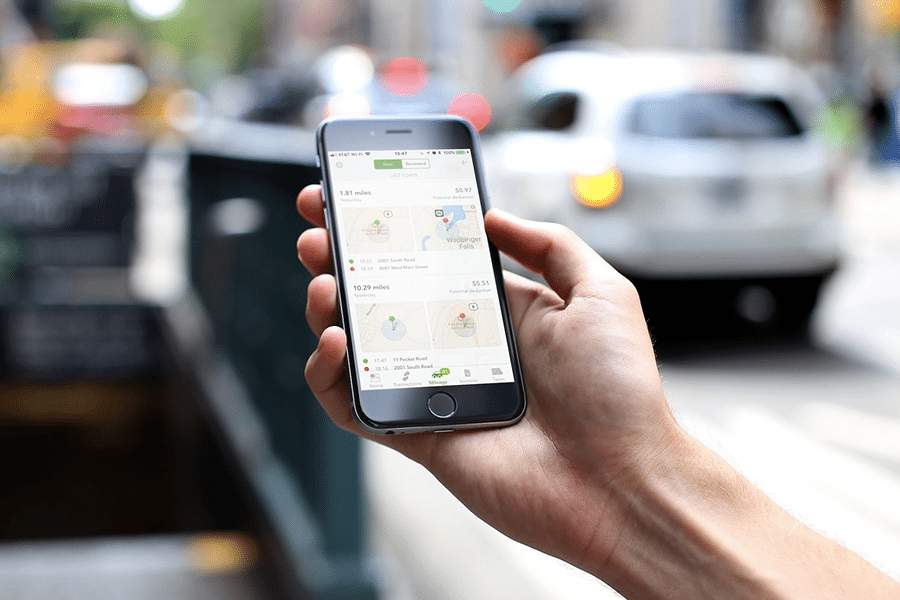
A mileage tracker app for a small business should do more than record miles. The right tool should help you document deductible trips, reimburse employees accurately, separate business and personal driving, and create reports that are easy to use at tax time. I reviewed mileage tracker apps for different small-business needs, including solo driving, team reimbursement, IRS-ready logs, simple trip classification, and mileage tracking inside accounting software.
Quick answer
I recommend TripLog as the best mileage tracker app for most small businesses because it offers automatic GPS tracking, multiple tracking modes, expense tracking, route planning, and team options. Hurdlr is stronger for self-employed tax tracking, Everlance is better for company reimbursements, MileIQ is best for simple mileage logs, MileageWise is best for reconstructing IRS-ready records, and QuickBooks Online is best if mileage tracking should live inside your accounting software.
Fit Small Business reviews business software and services using hands-on research, product documentation, pricing checks, user feedback, and small-business use-case analysis. For this guide, I focused on mileage tracker apps that help small businesses record business mileage, support tax documentation, manage reimbursements, and reduce manual trip logging. I also considered ease of use, pricing transparency, reporting, mobile access, and whether each app supports solo users, self-employed professionals, or teams.
To choose the best mileage tracker apps for small businesses, I evaluated each provider based on pricing, mileage tracking features, related business features, ease of use, user reviews, and my expert analysis. I focused on tools that can help business owners, self-employed workers, and teams track mileage accurately for tax deductions, reimbursements, and reporting.
- Pricing: I considered whether each app offers a free plan, free trial, affordable paid tiers, and clear pricing. I also looked at whether the plan pricing makes sense for small businesses, self-employed users, and teams that need mileage reporting or reimbursement tools.
- Mileage tracking features: I prioritized apps with automatic mileage tracking, manual trip entry, trip classification, mileage reports, route history, and exportable logs. Apps scored higher when they offered multiple tracking methods or stronger documentation features for taxes and reimbursements.
- Related business features: I considered whether each app includes useful business tools beyond mileage tracking, such as expense tracking, receipt capture, invoicing, tax estimates, reimbursement workflows, accounting integrations, or admin dashboards.
- Ease of use: I looked at setup, mobile app usability, trip classification, reporting, admin controls, support resources, and how much manual work users need to maintain accurate mileage records.
- User reviews: I considered user feedback to understand real-world strengths and weaknesses, including reliability, tracking accuracy, ease of use, customer support, and pricing complaints.
- Expert analysis: I used my judgment to assess overall small-business fit, feature depth, scalability, reporting quality, and whether each app solves a specific mileage tracking problem better than the alternatives.
Quick comparison of the best mileage apps
TripLog: Best overall mileage tracker with multiple tracking modes

Pros
- TripLog uses GPS and motion detection to log trips automatically
- Includes features such as expense tracking and fuel cost monitoring
- The software integrates with QuickBooks, Xero, ADP, and other accounting and payroll systems
- Availability of different tracking modes, such as automatic GPS tracking, manual entry, and Bluetooth-based tracking
Cons
- Can drain smartphone battery life quickly, especially when running in the background.
- It may be overwhelming to set up and navigate the various settings for mileage tracking and expense reporting.
- The free version of TripLog has limited features, and users must upgrade to a paid plan to access advanced tools
- Occasional delays in customer support response times for technical issues
TripLog goes beyond basic mileage tracking, making it my top pick for small businesses. It stands out with multiple tracking options. By default, you can track mileage using phone GPS, but you can also opt for a USB dongle or GPS device as an alternative. Being able to use external devices is a handy convenience since the use of the app with the GPS on your phone drains data and battery pretty quickly.
Standout features
- Automatic mileage tracking: TripLog’s built-in automatic mileage tracker, MagicTrip, starts tracking your drive automatically within the first 2 minutes of driving and then stops automatically if it detects that you’ve been idle for a while.
- Expense tracking: The app tracks different kinds of expenses related to your drives, such as parking fees, lodging, and meals.
- Route planning: TripLog integrates with Google Maps to help company drivers plan trips using the shortest possible routes.
- Multiple tracking modes: You can choose from different tracking options.
- MagicTrip, for background tracking via mobile phone
- Car Bluetooth, for moderate battery usage
- Manual, for custom tracking
- Beacon, a USB-powered device for automatic tracking
- TripLog Drive, the official TripLog dongle for mileage tracking with higher upfront costs
Use cases
- Companies that need a single solution for mileage tracking, expense tracking, and scheduling: TripLog offers many complementary features aside from mileage tracking. It has expense tracking for expenses incurred during trips and a time scheduler for managing employee schedules.
- Delivery services: If you’re in the delivery business, TripLog’s route planning feature can help your drivers deliver goods to customers efficiently. Route planning helps you organize destinations to avoid delays and efficiently plan trips.
- Industries with Mobile Workforces: Sectors such as healthcare, construction, sales, and delivery services benefit from TripLog’s features, including route planning and time tracking, to enhance operational efficiency.
Hurdlr: Best for self-employed individuals

Pros
- Includes accounting and invoicing features in the Premium plan
- Includes an expense tracker with automatic expense tracking for habitual or recurring expenses
- Is suitable for freelancers with minimal inventory management needs
- Calculates your quarterly estimated tax payments
Cons
- Has no GPS tracking in the free plan
- Doesn’t offer route planning and daily driving summaries
- Can be expensive for self-employed individuals with minimal mileage tracking needs
I like Hurdlr because it automatically tracks mileage, income, and expenses, saving time and effort. Its real-time tax estimates will help you stay on top of what you owe, so there are no surprises during tax season. The Pro plan is especially valuable since it includes a TaxSlayer-prepared tax return and double-entry bookkeeping, making it a great all-in-one tool for self-employed workers.
I also appreciate that there’s an option with premium plans to integrate with QuickBooks, Xero, and FreshBooks. This goes a long way toward simplifying your accounting. Overall, Hurdlr is a powerful, easy-to-use tool that helps maximize tax deductions and keep finances organized.
Standout features
- Automatic tracking: This feature allows you to record your mileage by automatically using your smartphone’s GPS. It starts automatically when your vehicle starts and stops when it identifies that your vehicle has stopped.
- Tax tracking and estimation: When you subscribe to the Pro plan, you have the option to invite your accountant to review your tax information. For those who need to file a Form 1040, the Pro plan includes free tax filing (federal plus one state) through Hurdlr’s partnership with TaxSlayer.
- Income and expense tracking: The free plan allows you to track your income and expenses manually. When you upgrade to any of the paid plans, you have the option to track your income automatically. You can connect your bank and credit card accounts and categorize your income and expenses as Personal or Business.
Use cases
- Rideshare drivers: Rideshare drivers will benefit from Hurdlr because of its tax features. When it’s time to report self-employed taxes, Hurdlr can generate useful data for tax filings.
- Freelancers: Freelancers who travel as part of their work can use Hurdlr to track mileage, file taxes, invoice customers, and perform accounting. Hurdlr’s Pro plan includes all necessary mileage tracking, invoicing, tax filing, and accounting features that a freelancer might need.
Everlance: Best for remote companies

Pros
- Supports unlimited users
- Can set mileage rates for specific employees under the Fixed and Variable Rate (FAVR) program
- Has in-app customer service assistance with Premium plan
- Contains an expense tracker, reimbursement system, and tax-saving tool
Cons
- Lacks a clock-in and clock-out timesheet for employees
- Can’t connect credit card and bank account in the Free plan
- Has no route planning features
Everlance is a powerful mileage tracking app that helps users maximize tax deductions and streamline reimbursements. It offers automatic trip detection, so you don’t have to worry about manually logging every drive. I like that the app integrates with bank accounts and credit cards to track expenses effortlessly, making financial management easier. Its business-friendly features make Everlance a great solution for both freelancers and companies.
Standout features
- Bank and credit card integration: Users can track expenses and categorize transactions seamlessly. Everlance allows users to connect their bank accounts and credit cards for seamless expense tracking. Transactions are automatically imported and categorized, making it easy to track business expenses and deductions.
- Customizable reimbursement programs: Everlance’s software is ideal for businesses managing multiple employees. Businesses can set custom mileage reimbursement rates based on employee location, job role, or company policies. Everlance automates trip classification and reimbursement calculations, reducing administrative work for employers. Employees can easily submit mileage reports, ensuring accurate and timely reimbursements.
- AI-powered deduction insights: AI tips help users maximize tax savings by identifying potential write-offs. Everlance uses artificial intelligence to analyze trips and expenses, identifying potential tax deductions. The app suggests deductions based on spending patterns and work-related mileage.
Use cases
- Sales and field service professionals: Sales reps, consultants, and service technicians who travel frequently for work can simplify expense tracking and reimbursement with Everlance.
- Corporate fleets and enterprise teams: Businesses with large teams of mobile employees can take advantage of Everlance’s custom reimbursement programs and team dashboard for efficient tracking.
MileIQ: Most affordable for simple mileage tracking

Pros
- Has a simple and innovative user interface
- Is affordable, especially for occasional or part-time drivers
- Classifies trips based on purpose, location, or time
Cons
- Lacks automatic tax deduction computation
- Has inefficient power consumption when tracking location in the background
- Lacks an expense tracker
MileIQ highlights an easy-to-use mileage tracker at an affordable price. It’s perfect for drivers who only need to track mileage for deductions — nothing more and nothing less. Unlike other trackers in this guide, MileIQ focuses on simplicity. It is the perfect solution for individuals and teams looking for standalone mileage tracking software.
Standout features
- Trip classification: From MileIQ’s mobile app, swipe right to categorize your trip as Business and left as Personal. For iOS users, there’s a special widget that lets you classify drives without having to open the mobile app. If you’re using an iPhone 7 or higher, you can classify drives from notifications.
- Traffic jam recognition: MileIQ tracks your drives even if you’re stuck in traffic. If you get caught in a traffic jam, the app will continue logging your trip unless it detects that you have been idle for more than 15 minutes. If your vehicle starts to move again, a new trip is recorded.
Use cases
- Companies looking for a simple mileage tracker: MileIQ is simple to use. It is a straightforward mileage tracking solution best suited for companies with simple mileage tracking needs.
- Occasional drivers: If you don’t drive a lot but still need to get mileage deductions, you can stay within the free plan that allows for 40 drives a month. If you need more than that, MileIQ’s monthly $5.99 plan comes with unlimited mileage tracking.
- Companies looking for affordable mileage tracking solutions: Unlike other mileage trackers on this list, MileIQ offers three plans for businesses that start at $5 per user, per month. You can opt for MileIQ if you want lower-priced plans with upgrade options.
MileageWise: Best for IRS-proof mileage logs

Pros
- Can recover and reconstruct past mileage logs
- Has a built-in IRS auditor for spotting inconsistencies and errors in mileage logs
- Features IRS-proof mileage logs
- Integrates with FreshBooks
Cons
- Has no bank or credit card integration
- Cannot integrate with QuickBooks or Xero
- Can be pricey for some businesses
I like MileageWise for its precise and automated mileage tracking. Its AI-powered trip tracking allows businesses to reconstruct past trips, reducing the risk of lost mileage data. The software also integrates seamlessly with accounting tools, simplifying financial management for business operations. Its user-friendly interface and customer support make it easy for fleet managers and drivers to track mileage efficiently.
Standout features
- Recurring trip tracking: In MileageWise, you can set recurring trips per day in a workweek. Once these trips are set, MileageWise can easily match recurring trips with actual mileage logs.
- Built-in IRS auditor: MileageWise has a system that can detect inconsistencies and errors in your mileage logs. This feature can help prevent IRS fines due to errors in declaring mileage deductions.
- AdWise technology: This feature is an AI-based technology from MileageWise that can spot missing mileage logs. AdWise will auto-populate these missing logs and show them to you as recommendations.
- Expense tracking: MileageWise now includes an expense tracker for vehicle-related expenses and car repair costs. Users who elected the actual expenses method will benefit from this feature.
Use cases
- Accountants and tax professionals: MileageWise is beneficial for professionals assisting clients with mileage tracking and tax preparation. MileageWise enables collaboration through shared access. Accountants can review and finalize mileage logs, ensuring accuracy and compliance with tax regulations.
- Companies with a large fleet of vehicles: If your business happens to use a lot of vehicles, MileageWise can help you track mileage per vehicle and claim mileage deductions. MileageWise eliminates the use of spreadsheets because it has a system that makes mileage tracking easy for companies with multiple vehicles.
- FreshBooks users: MileageWise integrates with FreshBooks as an accounting software partner. FreshBooks users should go for MileageWise if they want a mileage tracker with seamless integration.
QuickBooks Online: Best for mileage tracking within accounting software

Pros
- Includes a free mileage tracker
- Comprehensive bookkeeping system — easy to track and account for mileage expenses
- Can choose between actual expense instead of standard rates for tax deductions
Cons
- Requires subscription to QuickBooks Online, which is expensive if you don’t need accounting features
- Only assigned QuickBooks users can use the mileage tracker and the number of users is limited to five
- Lacks a tax deduction finder
If you’re one of the millions of small businesses that already use QuickBooks Online, you don’t need a separate mileage tracker. QuickBooks Online is our best small business accounting software, and it has built-in mileage tracking. We recommend choosing it if your business still doesn’t have accounting software.
With its mileage tracking, you can easily create expense entries from within the app for mileage-related expenses and reimbursements. Mileage tracking is included in the respective QuickBooks subscription plans and does not incur extra charges as an add-on service.
Standout features
- Automatic tracking: As one of our top mobile accounting apps, QuickBooks Online automatically tracks mileage based on GPS data
- Trip categorization: You can categorize trips as personal or business-related (swipe left to mark it as Business or right as Personal). You can also add manual trips if needed, and you can add mileage expenses to a job invoice for reimbursement from clients.
- Income and expense tracking: The tracker comes in a full-fledged bookkeeping platform, so you can seamlessly connect bank and credit card accounts to track income and expenses. Mileage tracking is a component of QuickBooks Online’s expense tracking features.
Use cases
- Companies who don’t have accounting software: If your business doesn’t have accounting software, you can save money with QuickBooks Online by getting a three-in-one solution for mileage tracking, expense tracking, and small business accounting.
- Existing QuickBooks users: The mileage tracking solution of QuickBooks is enough for simple mileage tracking. Given that it’s already within the QuickBooks system, it can report mileage expenses in the books automatically.
As our best small business accounting software, we believe QuickBooks Online has a solid mileage tracking solution built into its accounting software.
How should you choose the best mileage tracker app for small business?
Choose a mileage tracker app for a small business based on how many drivers you support, whether you need tax or reimbursement reporting, and whether mileage needs to connect with accounting or expense workflows. The best app for an occasional solo driver is not always the best app for a company reimbursing employees, managing multiple drivers, or reviewing mileage reports every month. For most small businesses, I would start by deciding whether you need standalone mileage tracking or a broader financial tool.
- If you only need to log drives, MileIQ is simple and affordable.
- If you need mileage plus taxes, Hurdlr or Everlance may fit better.
- If you manage employees, reimbursements, or approvals, TripLog or Everlance is stronger.
- If your concern is audit-ready documentation or reconstructing past mileage, MileageWise is the more specialized option.
- If you already use QuickBooks, its built-in tracker may be enough. Also consider the tracking method.
Phone GPS is convenient, but it can drain battery and may miss trips if permissions, connectivity, or background settings are not configured correctly. Small businesses with high-mileage drivers may want tools with multiple tracking modes, backup logs, exportable reports, and admin dashboards.
When to use a mileage tracker
A mileage tracker can be used to project tax deductions, control mileage costs, and plan for future expenses. Not all individuals or businesses need to use a mileage tracker, but the need may arise in the following situations:
- User intends to deduct mileage expenses for tax purposes: The IRS has strict requirements for documenting business mileage. Taxpayers must keep a detailed log of trips showing the date, number of miles, and purpose of the trip.
- Company has a high volume of mileage expenses and reimbursements: If your line of business involves delivery or if you provide gas allowance to employees, a mileage tracker makes reimbursements easier, faster, and more accurate.
- User’s job is driving (like a rideshare or company driver): Individuals registered to drive for Uber or Lyft can use a mileage tracker to track their daily route, maximize earnings, and reduce tax liability.
Frequently asked questions (FAQs)
TripLog is my top mileage tracker app for small business because it supports automatic tracking, multiple tracking methods, expense tracking, reports, and team-friendly workflows. However, the best choice depends on how your business uses mileage records. Hurdlr is better for self-employed taxes, Everlance is better for reimbursement programs, MileIQ is better for simple logs, MileageWise is better for IRS-ready records, and QuickBooks is better if you also need accounting software.
From our list, TripLog, Hurdlr, Everlance, and MileIQ have free plans. The free versions are suitable for occasional drivers needing mileage deductions.
The answer depends on the nature of your business. If you deliver products to customers or meet with clients, you need a mileage tracker to monitor your mileage and fuel expenses and determine tax deductible amounts.
The easiest way to track small business mileage is with a GPS mileage tracker that automatically logs trips and lets you classify them as business or personal. Automatic tracking reduces the risk of forgetting trips, while exportable reports make tax filing and reimbursement easier. For best results, review your trips regularly and keep backup records when needed.
Source link