What to Include & How Long to Keep Them
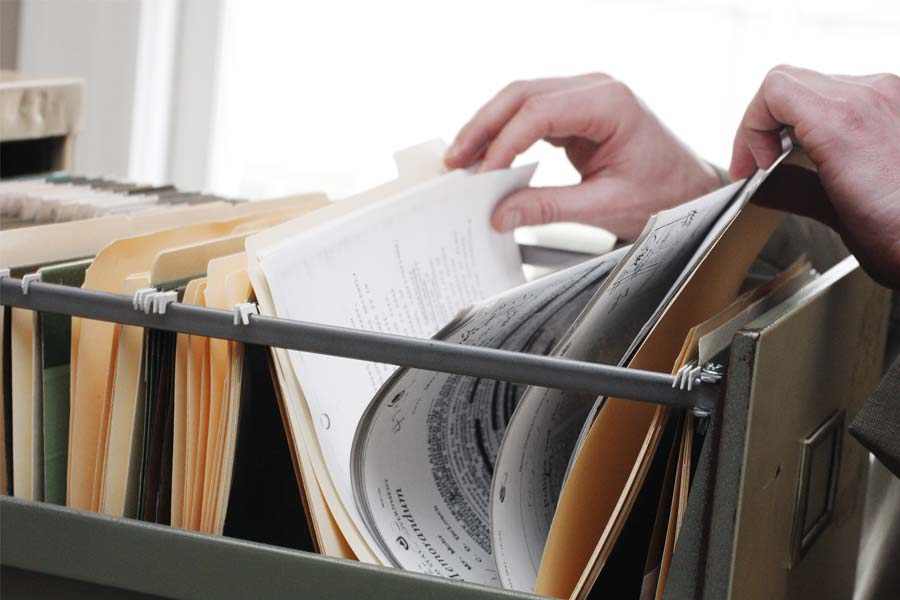
Payroll records are documents that track employee pay, taxes, hours worked, and compensation history. Federal laws like the Fair Labor Standards Act (FLSA) require employers to keep most payroll records for at least three years, though some documents, such as payroll tax forms and retirement plan records, must be kept longer depending on the governing agency.
Common payroll records include pay stubs, timecards, hiring documents, leave records, tax forms, and termination paperwork. Maintaining accurate payroll records helps businesses stay compliant with labor and tax laws, respond to employee disputes, and prepare for potential audits.
Key Takeaways:
- Employers must keep most payroll records for at least three years under federal law
- Certain states (like New York) and certain laws (like the Employee Retirement Income Security Act) mandate a longer retention period
- Prioritize digital storage solutions to ensure data protection and limited access
- I-9 forms must be stored separately from other payroll and personnel records
If you don’t want to worry about payroll records, consider using a full-service payroll software like Gusto. It’s an all-in-one service that calculates payroll, files taxes and forms, and even offers HR tools. Gusto calculates payroll, files payroll taxes and forms automatically, and stores employee payroll records in one secure system.
Types of HR & payroll records
Different federal agencies have specific payroll compliance requirements, including the Department of Labor (DOL), Internal Revenue Service (IRS), and Equal Employment Opportunity Commission (EEOC). Each agency requires employers to maintain specific payroll information to demonstrate compliance with wage, tax, and employment laws.
Because these requirements often overlap, it is best to maintain payroll records that capture core employee, wage, and tax information in one place. For example, pay stubs that show hours worked, earnings, deductions, and pay periods can help satisfy recordkeeping requirements for both the DOL’s Fair Labor Standards Act (FLSA) and IRS payroll tax reporting.
Need help creating your own payroll records to start? Check out our guide and download our free payroll templates.
New hire documents, such as offer letters and onboarding forms, capture key employment details required by the DOL. These typically include the employee’s name, residential address, job title, hire date, and pay rate. Many employers also maintain an employee data sheet with information such as emergency contacts and tax withholding details.
Include information about the employee’s eligibility to work in the US on the I-9 form. It’s best to also insert DOL-required information, such as the employee’s full name and Social Security number. I-9 forms must be stored separately from personnel and payroll files because they contain sensitive immigration and identification data.
Pay stubs document how wages are calculated for each pay period. They typically show the pay period dates, hours worked, pay rate, overtime pay, deductions (taxes or benefits), and net pay. For example, a pay stub might show 80 regular hours, 5 overtime hours, gross pay of $2,150, and deductions for federal tax and health insurance. If you need a reference, download our free pay stub template.
Timecards record employee work hours for each shift or pay period, including clock-in and clock-out times, unpaid breaks, and overtime hours. These can be paper or electronic, as long as the required data is retained for three years. If you still need a time sheet, download one of our free time sheet templates to get started, and use our free timecard calculator to calculate total work hours.
These records document the employee’s final day of work and final compensation, such as unused PTO payouts or severance payments. These records help demonstrate compliance with final paycheck laws.
Performance evaluations and compensation review records explain why an employee received a pay increase, promotion, or pay adjustment. Keeping these records helps employers support compensation decisions and comply with Equal Employment Opportunity Commission (EEOC) guidance.
Leave records track employee time away from work, including approved leave under laws like the Family and Medical Leave Act (FMLA). These documents typically include the leave dates, reason for leave, and whether the leave was paid or unpaid.
Retirement plan records include 401(k) enrollment forms, contribution records, and employer matching amounts. Employers must retain supporting documentation for retirement plans under the Employee Retirement Income Security Act (ERISA).
Employee handbooks outline workplace policies such as pay schedules, holidays, disciplinary procedures, and termination policies. It’s a best practice to hold on to your employee handbook for at least three years.
Tip: Personnel files often contain much of the documentation listed above. Therefore, a simple way to remain compliant is to box personnel files after an employee leaves the company and retain them for the appropriate period, which we discuss later on below.
The importance of payroll records
Payroll records are more than just a legal requirement—these are vital for effective business management. These provide essential insights for financial planning, enabling informed decisions about hiring and compensation.
These records also serve as an indispensable resource during wage disputes, offering concrete evidence to support or refute claims. Having these on hand can protect your business from costly legal issues and reputational damage.
In the face of audits or regulatory reviews, comprehensive and accurate payroll records demonstrate compliance with tax and labor laws. Diligent record-keeping is crucial for financial foresight, legal protection, and fair employee treatment, and can ultimately help avoid substantial fines, penalties, or even criminal charges.
Best practices in keeping payroll records
Most federal payroll recordkeeping rules require employers to retain payroll documents for three to four years, though certain records must be kept longer depending on the governing agency. In practice, many employers follow the longest applicable retention period to ensure compliance with both federal and state regulations.
In addition to these, other records may require similar retention periods:
- Timecards and work schedules: At least 2 to 3 years to support wage calculations.
- Documents related to wage disputes or employment claims: Retain until the dispute is resolved, even if the normal retention period has passed.
- FMLA leave records: Generally kept for three years under federal leave regulations.
- Employee handbooks and policy documents: Keep copies of each version issued to employees to document workplace policies in effect at the time.
Job applications and interview records typically only need to be retained for one year, but once you hire a candidate, their payroll and employment records should follow the longer payroll retention timelines.
State-specific laws about retaining payroll records
Most states abide by the federal payroll document retention guidelines. However, a few states—like New York, California, and Washington—have enacted legislation that affects what payroll records to keep and how long to keep them. For more information about local laws, click on the map below for state-specific payroll guides that include the legal nuances of each state:
State Payroll Directory
Disclaimer: Fit Small Business does not provide legal or tax advice, and state laws change often. Please confirm document retention requirements with HR, payroll, legal, and/or tax professionals in your state.
Who determines what payroll information to keep
Several federal agencies set rules for what payroll records employers must keep and how long they must retain them. The most common authorities include the DOL, IRS, and EEOC.
How to store payroll records
In most cases, you have three storage options for payroll records that you need to keep. You can keep the paper files yourself, box and store the paper files off-site, or maintain the documents and data electronically.
Here are some considerations for paper versus electronic payroll file storage:
Managing privacy & security of payroll records
In the digital age, data privacy and security are nonnegotiable. Payroll records contain sensitive employee information that must be protected from unauthorized access. Here’s how to address these concerns:
- Secure storage: Whether you’re storing physical documents or digital files, they must be securely stored. Use locked cabinets for paper records and encrypted storage for digital ones.
- Access control: Limit access to payroll data to only those who absolutely need it. This reduces the risk of information falling into the wrong hands.
- Regular audits: Regularly review your data security policies and conduct audits to ensure compliance. Make changes as necessary to keep up with evolving threats.
- Employee training: All staff members who handle payroll records should be trained on your company’s data security protocols. They should understand the importance of these measures and how to correctly implement them.
- Cloud storage: Consider using secure cloud storage options for digital records. They often come with built-in security features such as encryption and multi-factor authentication.
How to destroy payroll documents
Some business owners wonder if there’s a risk to keeping documents longer than required. The answer is yes. Financial or personal information related to payroll—such as bank account information, credit reports, or photocopies of a Social Security card—should be destroyed after the retention timeframe to prevent confidential data from being misused.
The most important thing to remember when destroying files after their retention date is that you should destroy all files securely. You can shred files in your office, or if the volume is large, you may want to use a company that picks up and shreds business documents at your location or off-site.
Tip: You’ll also want to keep a log of what documents were destroyed. It can be as simple as a spreadsheet that lists the documents and how and when they were destroyed. It’s also best to add a signature and date, so if questions arise, you can contact the person who destroyed them.
Common payroll record mistakes employers make
Even when employers keep payroll records, they do not always keep the right records, store them correctly, or retain them long enough. These mistakes can create problems during audits, employee disputes, or tax reviews.
- Destroying records too early: A common mistake is assuming every payroll document only needs to be kept for three years. While that is the baseline for many payroll records, some documents, such as payroll tax records and retirement plan records, must be kept longer.
- Treating all payroll documents the same: Not all payroll records follow the same retention rules. Pay stubs, timecards, W-4s, I-9s, leave records, and retirement documents may each have different storage and retention requirements.
- Keeping I-9 forms with personnel files: I-9 forms should be stored separately from general personnel and payroll records. These forms contain sensitive work authorization information and may need to be produced independently during an audit.
- Failing to document pay changes: Some employers update an employee’s pay rate in payroll software but do not keep supporting records showing why the change was made, such as a promotion, merit increase, or role change.
- Relying on paper files without backups: Paper records can be lost, damaged, or destroyed by accident. If you keep physical payroll records, you should also have a secure backup system.
- Giving too many people access to payroll records: Payroll files contain highly sensitive information, including Social Security numbers, pay rates, home addresses, and bank details. Access should be limited to staff who need it for legitimate business reasons.
- Ignoring state retention requirements: Federal rules are the starting point, but some states require employers to keep certain records longer or maintain additional documentation.
- Forgetting to log destroyed records: When records reach the end of their retention period, some businesses destroy them without documenting what was discarded and when.
- Not keeping records tied to disputes: If an employee raises a wage, termination, or leave dispute, employers should preserve all related payroll records until the issue is fully resolved, even if the normal retention period has passed.
- Assuming payroll software handles everything automatically: Payroll software can help centralize records, but employers are still responsible for making sure documents are complete, accessible, and retained for the right length of time.
Payroll records frequently asked questions (FAQs)
What if an employee disputes the accuracy of their payroll records?
If there is a dispute, review the disputed records and compare them with your own. If an error is found, rectify it immediately. If there’s no error, provide the employee with a detailed explanation. Having accurate and comprehensive records can help resolve these issues quickly.
Can I switch from paper to digital records?
Absolutely. Switching to digital records is advisable to enhance efficiency and security. Ensure you choose a secure platform that complies with data protection rules and remember to back up your data regularly to prevent loss.
What should I do in case of a data breach?
Act immediately. Notify affected employees and relevant authorities, then review your security measures, identify the cause of the breach, and take steps to prevent future incidents.
Bottom Line
Employers must follow payroll recordkeeping rules set by agencies like the DOL, IRS, and EEOC, along with any state requirements. In most cases, businesses should keep payroll records—such as pay stubs, timecards, and hiring documents—for at least three to four years, and longer for tax or retirement plan records.
Once records reach the end of their retention period, destroy them securely (such as shredding paper files or permanently deleting digital records) to protect sensitive employee information.
If you’d rather not manage payroll records yourself, full-service payroll software like Gusto can help. It calculates payroll, files taxes and forms, and securely stores employee payroll data in one place.
Source link