Compare POS devices & pricing
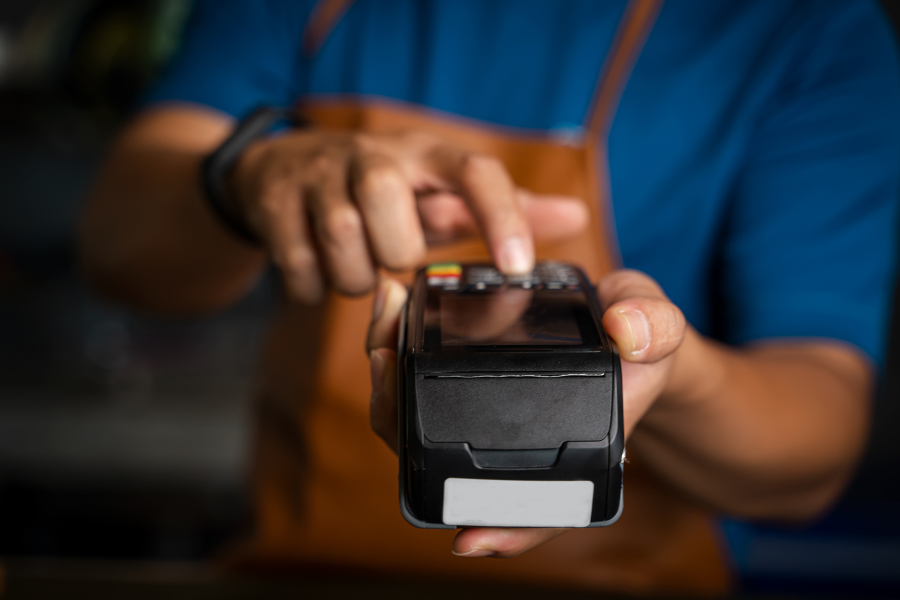
I’ve tested Square across different small business setups, and one thing is consistent: the right hardware depends on how you sell. Your checkout flow, sales volume, and whether you’re mobile or stationary matter more than the upfront price. A weekend market vendor can run with a simple reader, while a busy retail store needs a structured counter setup to keep lines moving.
In this guide, I break down each Square device, show you what it actually does in real use, and help you choose the best fit for your business.
Square’s POS software is free to start, with paid upgrades available depending on your business needs. It uses a unified pricing model with three plans — Square Free, Square Plus, and Square Premium — so your POS, payments, inventory, and customer tools all run on the same system without needing extra integrations.
Square earns revenue through payment processing, with standard rates typically starting at 2.6% + 15 cents per in-person transaction. Square hardware is also proprietary, meaning it only works with Square POS. While you can’t use it with other systems, the benefit is a more streamlined setup where everything is designed to work together out of the box.
Square hardware comparison table
Learn more about Square in our guides:
Which Square hardware is best for your business?
- If you just need to accept quick and simple card payments, use Square Reader.
- If you sell at pop-ups or need a mobile setup, use Square Terminal or Square Handheld.
- If you run a retail checkout counter, use Square Stand or Square Register.
- If you manage a high-volume retail store, use Square Register.
- If you operate a restaurant or need tableside service, use Square Handheld.
- If you want customers to place their own orders, use Square Kiosk.
- If you want the simplest all-in-one setup with minimal accessories, use Square Terminal.
- If you’re just starting out and want the lowest upfront cost, use Square Reader.
Square Reader (magstripe vs contactless and chip): Best for low-cost card payments
Square Terminal: Best for small businesses that want a simple, all-in-one POS
Square Handheld: Best mobile POS for food businesses and service teams
Square Stand: Best iPad-based POS for retail counters
Square Register: Best for high-volume retail stores
Square Kiosk: Best for self-service ordering in quick-service restaurants
Related: Best Self-service Kiosks for Business
My recommended Square hardware setups
These setups mirror common Square POS kits but give you flexibility to mix and match hardware based on how you actually operate.
For the solo seller or pop-up seller
- Square Reader for contactless and chip
- Smartphone or tablet
- Portable battery pack (optional)
Recommended kit: Mobile POS Kit for Square Reader ($399 or $37 per month with financing) — This is the simplest and lowest-cost way to start. You don’t need a full kit here. Most sellers just use a reader and their phone, then upgrade later.
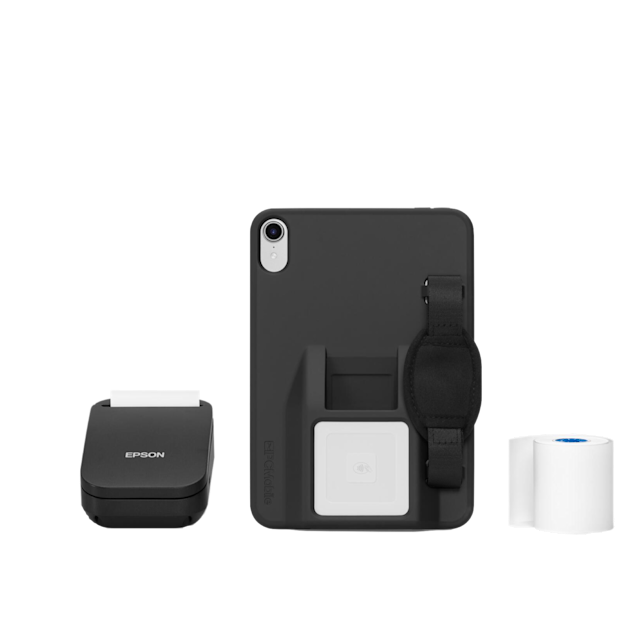
The Square Mobile POS kit is an on-the-go POS kit for the 6th generation iPad Mini.
For small shops or cafes
This is where kits start to make sense. If you want something simple, Terminal works. If you want a more complete setup with accessories included, a Stand or Register kit saves time.
- Square Terminal or
- Square Stand + iPad
- Receipt printer (optional)
Recommended kit: Upgrade to a Square Register kit ($1,189 or $58 per month with financing) if you expect steady foot traffic. I suggest you add a Square Handheld if you like to accept tableside payments.
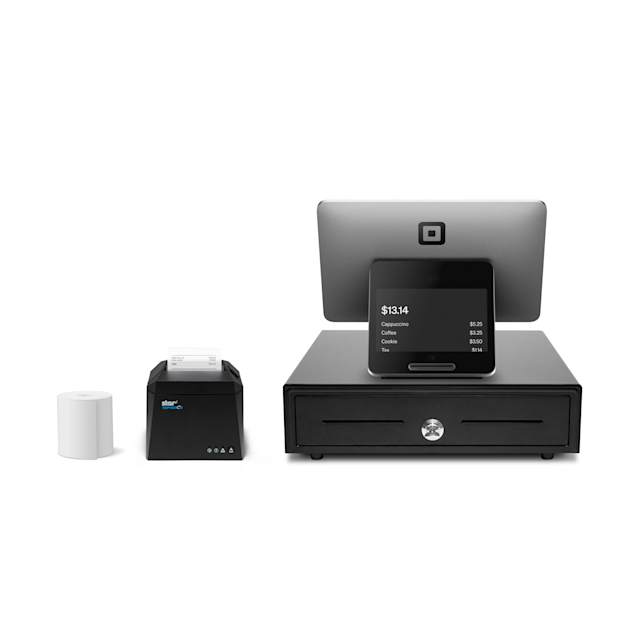
The Square Register Kit includes Square Register (2nd generation), cash drawer, and receipt printer.
For retail stores
Retail is where bundled kits really pay off. This setup includes everything you need to run checkout, print receipts, and manage inventory without piecing components together.
- Square Stand + iPad
- Cash drawer
- Receipt printer
- Barcode scanner
Recommended kit: Square Register Retail Kit ($1,799 or $88 per month with financing)
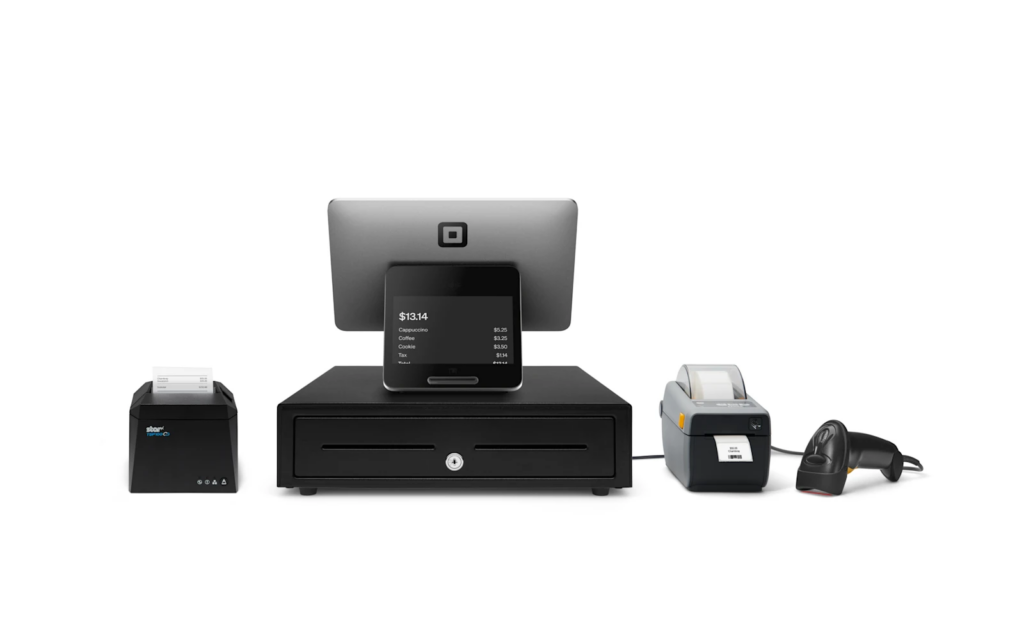
The Square Register Retail Kit includes Square Register (2nd generation), cash drawer, receipt printer, barcode label printer and barcode scanner.
For high-volume retail
- Square Register
- Cash drawer
- Receipt printer
- Barcode scanner
Recommended kit: If you’re processing transactions all day, a full Register kit is the most efficient setup. It’s designed to be ready out of the box with core accessories included.
Full-service restaurant
Restaurants usually need a mix of stationary and mobile devices. A Stand-based kit works well as your main POS, while handhelds handle tableside ordering.
- Square Handheld (for staff)
- Square Stand or Register (main POS)
- Kitchen printer
Recommended kit: Square Stand Kit for Restaurants ($1,199 or $59 per month with financing)
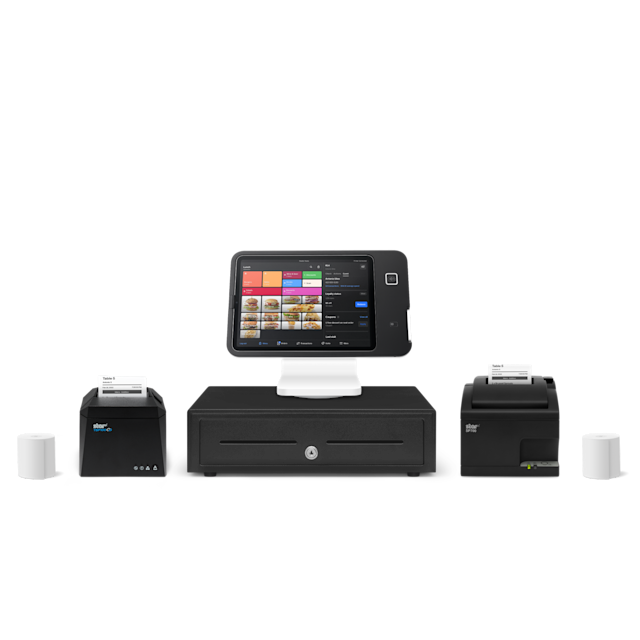
The Square Stand Kit for Restaurants includes a Square Stand (2nd generation) cash drawer, receipt printer, impact printer, and paper.
Quick-service or self-ordering
Kiosk setups are best for high-traffic environments. They don’t replace your POS but work alongside it to reduce lines and improve ordering speed.
- Square Kiosk
- Kitchen printer
- Optional: Square Terminal (backup checkout)
Square accessories and add-ons to budget for
Most Square hardware setups need a few extra pieces to function as a complete POS. These are often the hidden costs that increase your total setup price.
Your total cost depends less on the main device and more on the accessories you add. A basic mobile setup may only need a reader, while a full retail or restaurant setup can include printers, drawers, scanners, and mounts.
Do you need Square hardware or can you use your own device?
You don’t need to buy Square hardware right away. Many small businesses start with a phone or tablet and upgrade as their sales grow.
I recommend using your own device if you:
- Are just starting out or testing a business
- Have low sales volume
- Sell on the go (markets, services, pop-ups)
- Want the lowest upfront cost
Remember you can get your first Square Reader magstripe for free. You can also get a Square Reader for contactless and chip if you need to accept NFC payments.
Invest in Square hardware if you:
- Process many transactions daily
- Have employees using your POS
- Want faster checkout and fewer errors
- Need a more professional, fixed setup
Dedicated hardware like Square Terminal, Stand, or Register helps streamline operations and reduces reliance on personal devices.
Square hardware limitations to know before you buy
Square hardware is easy to start with, but most businesses will need to upgrade as they grow. There are a few tradeoffs to keep in mind before you commit.
- Some setups require extra accessories: Devices like Square Stand and Register often need a receipt printer, cash drawer, or scanner to function as a complete POS. These add to your total cost.
- Entry-level hardware can slow you down: Square Reader works well for occasional sales, but it can slow checkout during busy periods since everything runs through your phone.
- Not all devices are built for mobility: Square Register and Kiosk are designed for fixed setups. If you need flexibility, you’ll need a mobile device like Square Handheld or Terminal.
- Some systems are better for simple workflows: Devices like Square Terminal are great for straightforward transactions but may feel limited if you need advanced inventory tracking or multi-register setups.
What to consider when choosing Square hardware
Choosing Square hardware comes down to how your business runs day to day. Start with how you sell, then match your setup to your workflow, staff, and sales volume.
- How you sell: If you sell on the go, you’ll need a mobile setup like Square Reader, Terminal, or Handheld. If you sell at a counter, Square Stand or Register is a better fit.
- Your transaction volume: Low-volume businesses can get by with simpler hardware. Higher-volume stores need faster systems like Square Register to keep lines moving.
- Mobility vs fixed setup: If you need to move around (restaurants, events), choose portable devices. For a dedicated checkout area, go with a countertop system.
- Your budget (including accessories): Don’t just look at the device price. Factor in the cost of printers, drawers, and other add-ons when comparing options.
- Your future growth: Choose hardware that can scale with your business. It’s often worth investing in a more capable setup early if you expect to grow quickly.
Frequently asked questions (FAQs)
The best Square hardware depends on how you run your business. For most small businesses, Square Terminal is the easiest all-in-one option since it includes a screen, card reader, and receipt printer in a single device. If you’re just starting out or want to keep costs low, Square Reader is a practical entry point. Retail stores with a fixed checkout counter may benefit more from Square Stand or Square Register for a more structured setup.
Square Terminal is the only Square device with a built-in receipt printer. All other hardware, including Square Stand and Square Register, requires a separate printer if you want to provide printed receipts.
Yes, Square Stand requires an iPad to function. The Stand acts as a dock and card reader, while the Square POS app runs on the iPad itself, so you’ll need to purchase or already have a compatible iPad.
Yes, you can use Square without buying dedicated hardware by running the Square POS app on your phone or tablet. You can manually enter payments or pair your device with a Square Reader, which is the lowest-cost way to start accepting card payments.
Most Square setups require a few accessories to function as a complete POS system. Common add-ons include a receipt printer for printed receipts, a cash drawer if you accept cash, and a barcode scanner for retail inventory. Depending on your setup, you may also need mounts, stands, or networking equipment to keep your system stable and reliable.
Bottom line
The best Square hardware depends on how you run your business, not just your budget.
If you’re just starting out or selling on the go, Square Reader or Square Terminal gives you a low-cost, flexible setup. For retail stores, Square Stand or Square Register offers a more structured checkout experience. Restaurants and service businesses benefit most from Square Handheld for mobility, while Square Kiosk works best for high-volume, self-service environments.
Start simple, then upgrade as your sales volume and operational needs grow. The right setup should make checkout faster and easier for both you and your customers.
If you’re ready to build your setup, visit Square to compare hardware, explore POS kits, and find the right system for your business.
Source link