Best Square competitors and alternatives for small businesses
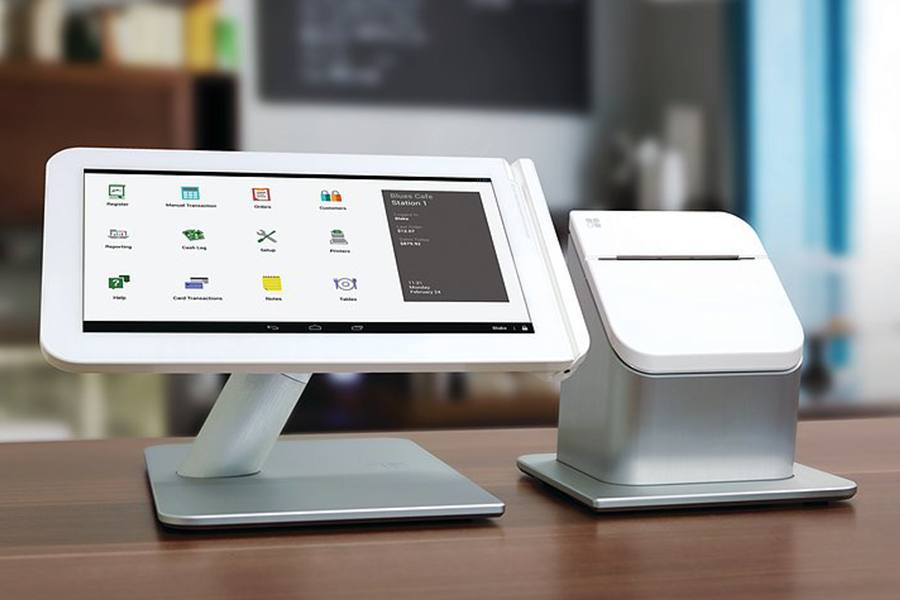
Square is one of the most popular POS systems for small businesses because it combines payment processing, hardware, and business tools in one platform with a free starter plan. This makes it easy for new businesses to start selling and accepting payments quickly.
However, Square is not always the best fit as businesses grow or require more specialized tools. Many business owners begin exploring Square alternatives when they want lower processing fees, stronger inventory management, or industry-specific POS tools.
For example, restaurants may need table management and kitchen workflows that Square only partially supports. Retailers with large product catalogs often require more advanced inventory tools, while ecommerce brands may prefer platforms that connect online and in-person sales more tightly. In other cases, businesses simply want pricing models that scale better as transaction volume increases.
The providers below are my recommended Square competitors for different business types and operational needs.
These providers cover a wide range of industries, including retail, restaurants, ecommerce, and high-risk merchant categories. In the sections that follow, I’ll break down how each one compares with Square, what features stand out, and when choosing one of these alternatives to Square POS may make more sense for your business.
Top Square competitors quick comparison
As a small business writer, I know that Square isn’t just a POS; it’s also a payment processor, credit card reader, and online selling platform. To fairly compare Square with other providers, I first looked at the areas where small business owners often run into Square’s limits. From there, I reviewed each competitor using the following criteria:
- Pricing: I compared monthly subscription fees, transaction rates, hardware costs, and any hidden charges. Square’s flat-rate pricing makes it simple to benchmark, so I paid special attention to whether competitors could save money as a business scales.
- Hardware: I looked at what each provider offers in terms of card readers, terminals, and accessories. I checked if competitors’ hardware is proprietary, like Square’s, or if it works with devices you may already own (like iPads).
- Features: I reviewed each system’s POS tools, payment processing, inventory management, and reporting capabilities. I also considered customization options, integrations, and whether the system could grow with a business.
- Ease of use: I considered how easy each system is to set up, train staff on, and manage day-to-day. I also factored in the quality of customer support since many small business owners can’t afford downtime.
Finally, I matched each Square alternative to the type of business it best fits, whether that’s a restaurant that’s outgrown Square for Restaurants, a retailer with more complex inventory needs, or a high-risk business Square won’t support.
I have over three years of experience evaluating point-of-sale systems and more than a decade working with small businesses, particularly ecommerce merchants. For this guide, I tested as many systems as I could and pulled from my firsthand experience working in small businesses. We also regularly demo many of these systems with the company product teams to stay abreast of new features.
Our team regularly updates and fact-checks this piece to provide the latest information. You can learn more about my evaluation in the methodology section below.

Retail Software Expert at Fit Small Business
When to choose an alternative to Square
Square is one of the easiest POS systems to start with, but it’s not always the best long-term fit. Based on what I’ve seen, these are the most common reasons businesses switch to Square competitors:
- Higher volumes and fee savings: If your monthly processing volume grows past about $10,000, Square’s flat-rate pricing can start to eat into your margins. Interchange-plus providers, such as Helcim, often deliver lower effective costs at this level, which can save you hundreds of dollars each month. For businesses with larger average tickets, even Square’s extra 5 cents per transaction (after its 2025 rate change) makes a noticeable difference.
- Account stability and underwriting needs: Square offers instant signup, but that also means it can freeze or shut down accounts quickly if it flags “risky” activity. If your industry falls into a higher-risk category or you’ve experienced unexplained holds, providers like PaymentCloud or traditional merchant accounts give you more stability. This extra vetting process can be worthwhile for peace of mind and a reliable cash flow.
- Vertical features (restaurants, complex retail, ecommerce): Square’s one-size-fits-all design works well for simple operations, but specialized businesses need deeper tools. Restaurants often benefit from Toast’s tableside ordering and kitchen management, while large or multi-location retailers turn to Lightspeed for advanced inventory control. Ecommerce-led sellers usually get more value from Shopify POS or Stripe since both systems unify online and in-person sales.
- Hardware flexibility and POS customization: Square offers reliable hardware, but some businesses want more flexibility in how their POS system is set up. Systems like Clover, KORONA POS, and Lightspeed allow businesses to choose from a wider range of compatible terminals, tablets, and scanners. For retailers with existing equipment or specialized checkout workflows, these Square POS alternatives can offer more customization.
Stripe: Best Square alternative for custom online payments

Pros
- Advanced online checkout and API tools
- Global payments support across currencies
- Flexible for custom integrations
Cons
- Requires technical setup to maximize features
- Limited built-in POS functionality
- Steeper learning curve than Square
Stripe is a payment processor designed for online-first merchants and developers. Among the Square competitors in this guide, it stands out for its customizable payment infrastructure.
Why I like it
Stripe’s biggest advantage over Square is its ability to handle advanced online payments. It supports recurring billing, subscription management, and marketplace payouts — features that Square doesn’t match at the same scale.
For businesses building custom checkout flows or SaaS platforms, Stripe delivers enterprise-level tools without the enterprise price tag. It is actually one of our recommended B2B payment solutions because of its compatibility with various payment types and billing processes.
Stripe vs Square
- Stripe is stronger for businesses that need customizable checkout pages and advanced online payments. Square is easier to set up for retailers that want a simple POS with built-in hardware and minimal configuration.
- Stripe also supports global payments and more complex payment workflows, while Square focuses on simplicity and ease of use for small businesses.
Who should use Stripe
Stripe works best for developers, SaaS companies, and online-first businesses that want customizable payment infrastructure with the option to add in-person sales.
- Monthly software fee: Depends on provider (payment app is free)
- Payment processing:
- Card-not-present (online): Starts at 2.9% + 30 cents or custom interchange-plus rate
- Card-present (in-person): Starts at 2.7% + 5 cents or custom interchange-plus rate
- Paid upgrade options: $10/month for Stripe Checkout with custom domain
- Hardware: $59-$349
You can purchase Stripe card readers directly from the Stripe dashboard after creating an account.
- Developer-first payment infrastructure
- Stripe Terminal for in-person sales
- Customizable in-app and hosted checkouts with subscriptions, memberships, and one-time payments
- Built-in fraud and security tools, including Stripe Radar and Stripe Identity
- Flexible payout schedules with two-day, weekly, or monthly deposits
- “Stripe Terminal makes in-person payments easy and smooth. Transactions are quick and secure, which makes checkout simple for our team.” — G2 reviewer
- “Stripe makes it easy to manage payments both online and in person. The dashboard helps us track sales and understand revenue trends.” — G2 reviewer
- “Stripe’s platform is flexible and easy to integrate with other tools we use. Once configured, payment processing and reporting are straightforward.” — Capterra reviewer
Is Stripe a better alternative to Square?
Stripe is typically a better option for businesses that need customizable payment experiences, subscription billing, or advanced ecommerce integrations. Square is usually the better choice for brick-and-mortar retailers that want a simple POS system with minimal setup.
Get a more in-depth comparison of Stripe vs Square (as payment processors) in our guide.
Helcim: Best Square competitor for low-cost payment processing

Pros
- Transparent interchange-plus pricing
- No monthly software fees
- All-in-one platform with invoicing and POS tools
Cons
- Savings mostly benefit higher-volume merchants
- Limited hardware selection compared to Square
- Smaller support ecosystem than larger providers
Helcim is a payment processor and POS provider built around transparent interchange-plus pricing and free business tools like invoicing and recurring billing. It is actually the cheapest payment processing provider we have reviewed.
Why I like it
Helcim’s biggest advantage over Square is its transparent interchange-plus pricing with no monthly software fees. As sales grow, this structure can reduce processing costs compared with Square’s flat-rate pricing, especially with Helcim’s automatic volume discounts. Add in multicurrency support and free tools for invoicing and recurring billing, and Helcim stands out as one of the most affordable merchant accounts for established businesses.
Helcim vs Square
- Square wins on simplicity and ecosystem. It is easier to set up, has broader add-ons or integrations, and a wider hardware selection.
- Helcim wins on cost savings and flexibility for international or scaling businesses. It has lower processing fees, multicurrency features, and a free POS with invoicing and recurring billing included.
Who should use Helcim
Helcim works best for established retailers, service providers, and B2B merchants processing steady monthly volumes. Businesses processing more than about $10,000 per month typically benefit most from its lower interchange-plus pricing and multicurrency support.
Pricing:
- Monthly POS account fee: $0
- Transaction fees:
- Card-present: Interchange plus 0.15% + 6 cents to 0.4% + 8 cents
- Card-not-present: Interchange plus 0.15% + 15 cents to 0.50% + 25 cents
- Paid upgrade options: No paid upgrades, free access to all services
- Hardware: From $99 to $329
- Free mobile payment app and POS with no contracts or monthly fees
- Interchange-plus pricing with automatic volume discounts
- Multichannel sales management with built-in online store tools
- Recurring billing and subscription management (credit card and ACH)
- JavaScript API for secure, embedded online payments
- Multicurrency processing for international sales
- “We’ve had an excellent experience with Helcim. The platform is intuitive, easy to use, and onboarding has been smooth from start to finish. Their North American–based support team has been incredibly helpful, and we especially appreciate the attention to compliance and security from the risk and safety team. We just completed the setup of our second processing account for our newest business, and we’re excited to continue working with Helcim.” — G2 reviewer
- “Helcim allows me to do business the way I need to and all of the options for taking payments from customers make it user-friendly for my clients as well.” — G2 reviewer
- “APIs work, testable, and good customer service. Can’t tell you how much customer service means in this time. You guys even listen to my suggestions.” — Capterra reviewer
Is Helcim a better alternative to Square?
Helcim is often the better choice for businesses focused on lowering payment processing costs through interchange-plus pricing. Square is usually the better option for startups that want instant setup and a simple all-in-one POS system.
Get a more in-depth comparison of Helcim vs Square (as both payment processors and POS systems) in our guide.
Lightspeed: Best Square alternative for retailers with large inventories

Pros
- Fully integrated, industry-specific POS
- Granular matrix inventory features
- Native ecommerce platform
Cons
- Pricey subscription plans
- User interface (UI) can take time to learn
- Limited offline functionality
Lightspeed is a cloud-based POS built for deeper inventory control, advanced reporting, and multi-location management. Among Square competitors, it stands out for businesses with large catalogs or complex inventory structures.
Why I like it
Lightspeed’s biggest advantage over Square is its advanced inventory management — it is our top-recommended POS system for inventory management. Lightspeed lets you manage thousands of SKUs, track stock across multiple stores, and access more than 3,000 preloaded vendor catalogs for fast purchase ordering, making it a strong choice for retailers with complex inventory needs.
Lightspeed vs Square
- Square wins on simplicity and affordability. You get free POS software, straightforward pricing, and a quick and easy setup.
- Lightspeed wins on inventory depth and retail scalability. You get advanced product management, multi-location tools, and detailed reporting that larger retailers often require.
Who should use Lightspeed
Lightspeed works best for retailers that need advanced inventory tracking, supplier management, and centralized inventory control across multiple locations. It is particularly well suited for specialty retailers, apparel stores, and other businesses with large or complex product catalogs.
- Monthly software fees: (varies by POS type, payment processor, and payment plan; lowest rates available with annual billing)
- $109 to $339 ($89 to $289 paid annually) for retail
- $189 to $399 for restaurants
- Transaction fees:
- Card-present: 2.6% + 10 cents
- Card-not-present: 2.9% + 30 cents
- Hardware cost: Undisclosed
- Customizable matrix inventory with bulk editing, purchase ordering, and low-stock alerts
- Built-in ecommerce platform with social media sales channels (Facebook, Instagram, TikTok)
- Advanced reporting with mobile access and automated data visualization
- Over 3,000 preloaded vendor catalogs with integrated purchase ordering
- 24/7 technical support and dedicated account managers
- “Good all in one option for POS system, inventory management and eCommerce option.” — Capterra reviewer
- “Powerful inventory management — Tracks products, variants, stock levels across locations, and helps automate purchase orders and reorder points, which is especially helpful for retailers with lots of SKUs.” — G2 reviewer
- “The best part of Lightspeed Retail is that it uses a singular, universal inventory repository for *both* Retail POS and eCom sales activity. Our staff was initially enamored with Squarespace for web design, but every system we reviewed seemed to be good at either the Retail POS *or* eCom, but not both. Inventory solutions seemed to migrate towards 3rd party integrations. We viewed these as potential points of failure and expansion of support contacts. We looked for a single vendor who could perform both, and Lightspeed was the winner.” — G2 reviewer
Is Lightspeed a better alternative to Square?
Lightspeed is typically the better option for established retail businesses that need advanced inventory and multi-location management. Square is usually the better choice for small retailers that want a simpler POS system with lower upfront costs.
Get a more in-depth comparison of Square vs Lightspeed in our guide.
Shopify: Best Square competitor for ecommerce brands adding in-person sales

Pros
- Best-in-class ecommerce platform with multichannel sales tools
- Flexible hardware options with iOS devices
- Seamless integration with Shopify’s online store
Cons
- POS Pro requires $89/month per-location fee
- Limited functionality in Starter/POS Lite plan
- Very limited offline payment options
Shopify is first and foremost an ecommerce platform, but its POS tools make it a strong Square alternative for businesses that sell both online and in person. It’s my top recommendation for ecommerce platform for small businesses because of its powerful online store builder, built-in payment processing, and wide range of sales and shipping tools.
Why I like it
Shopify’s biggest advantage over Square is its ecommerce strength. You can build a comprehensive online store with features such as cart abandonment emails, advanced discount codes, integrated shipping with up to 88% USPS discounts, and built-in social media selling capabilities. Shopify’s tools are unmatched for small retailers that run their businesses primarily online.
Shopify vs Square
- Square wins on simplicity and affordability. It offers free POS software, straightforward pricing, and quick setup for small businesses.
- Lightspeed wins on inventory depth and retail scalability. It provides advanced product management, multi-location tools, and detailed reporting that larger retailers often require.
Who should use Shopify
Shopify works best for small businesses that want to run their retail operations primarily online and expand into physical locations without juggling multiple systems.
- Monthly software fee:
- Starter: $5 (without ecommerce)
- Retail: $39-$399 (with ecommerce plan)
- Basic (for free ecommerce plan): $0
- Pro (for paid plans): $89
- Transaction fees:
- Card-present: 2.6% + 10 cents, or 5%
- Card-not-present: 2.4% + 30 cents to 2.9% + 30 cents
- Hardware: $49-$399
- Advanced ecommerce platform with social selling and online store builder
- Built-in marketing and ecommerce automations for revenue growth
- Detailed retail analytics and customer behavior reporting
- Smart inventory management with forecasting, purchase orders, and low-stock alerts
- 24/7 support across phone, email, and live chat
- Up to 88% shipping discounts through USPS
- “Shopify POS is a nicely packaged POS option that works great if you already have a Shopify store. It uses the Shopify catalog for your ecommerce site which basically means zero setup. Buy a tablet and card reader and you’re running!” — Capterra reviewer
- “My overall experience with Shopify POS has been great. It’s user-friendly, efficient, and perfect for in-person sales, pop-ups, and events. It helps my business run smoothly and keeps everything synced in one system.” — Capterra reviewer
- “Shopify POS is very easy to use. I can run it on a cell phone, iPad, tablet, etc., and it’s super user-friendly. It also provides strong insights, which is really helpful. It provides accurate real time inventory which is almost always correct.” — G2 reviewer
Is Shopify a better alternative to Square?
Shopify is usually the better option for businesses that sell both online and in person and want their ecommerce store, inventory, and POS system managed in one platform. Square, however, is typically easier to set up and works well for businesses that mainly sell in person and want a straightforward POS with minimal setup.
Get a more in-depth comparison of Shopify vs Square in our guide.
Toast: Best Square alternative for restaurants and food service operations

Pros
- Robust restaurant and kitchen management features
- Integrated online ordering and delivery
- Durable, restaurant-grade hardware
Cons
- No delivery, marketing, or CRM tools in the basic plan
- Locked into Toast payment processor
- Two-year contract required
Toast is a POS platform built specifically for restaurants. Like Square, it offers a free starter POS plan, but it includes deeper tools for managing menus, kitchen operations, and staff.
Why I like it
Toast’s biggest advantage over Square is its operational depth for restaurants. It includes tools like table management, kitchen display systems, and recipe costing that help restaurants manage dine-in, takeout, and delivery from one system.
Toast vs Square
- Toast provides deeper restaurant management tools such as kitchen displays, table management, and integrated online ordering.
- Square is easier to set up and more affordable, making it a better fit for cafés, food trucks, and small restaurants.
Who should use Toast
Toast works best for full-service restaurants, bars, and growing food businesses that need tools to manage menus, kitchen operations, and staff across multiple service channels.
- Monthly software fee:
- Pay-as-you-go pricing: $0
- Traditional pricing: Countertop and handheld
- Basics: $69/month
- Core: $219/month
- Growth: $579/month
- Traditional pricing: Self-service kiosk
- Basics: $99/month
- Core: $249/month
- Growth: $609/month
- Build Your Own: Custom pricing (suggested for multilocation restaurants wanting high customizability)
- Transaction fees:
- Pay-as-you-go
- Basics: 3.09% + 15 cents
- Core: 3.39% + 15 cents
- Growth: 3.69% + 15 cents
- Traditional pricing: Countertop, handheld, self-service kiosk
- Card-present: 2.49% + 15 cents
- Card-not-present: 3.50% + 15 cents (Visa, Discover, and Mastercard)
- American Express: 3.50% + 15 cents
- Build Your Own: Custom-quoted
- Pay-as-you-go
- Hardware: From $0-$1,234
- Kitchen display system (KDS) fully integrated with digital and online ordering
- Advanced inventory management and recipe costing with xtraCHEF
- Workforce management tools for timekeeping, payroll, and HR
- Restaurant operations tools including table management, offline mode, and catering support
- Add-ons for loyalty, marketing, and gift cards
- “A POS worth your time. I’ve been using toast for seven + years, and the big reason I stick with them is they are always adding new features. Some, I don’t use, but I’ve always appreciated the new things, along with off line payments when our local provider has issues” — Capterra reviewer
- “I love the online ordering integration with Toast, which means fewer calls for us. The reporting features are great, providing us with sales data by the hour. The setup with Toast was smooth.” — G2 reviewer
- “I use Toast for handling clock-ins, clock-outs, and paying the staff, and it also helps me provide reports on which menu items are selling and which are just taking up space. It’s very effective for handling the in-and-out analysis of my organization. I like that it syncs with a website directly, so I don’t have to manually add things. The initial setup of Toast was very easy.” — G2 reviewer
Is Toast a better alternative to Square?
Toast is usually the better option for full-service restaurants that need advanced tools like kitchen displays, table management, and integrated online ordering.
Square is typically the better choice for small restaurants, cafés, and food trucks that want a simple POS system with quick setup and lower upfront costs.
Get a more in-depth comparison of Toast vs Square for Restaurants in our guide.
Clover: Best Square competitor for flexible, industry-specific POS setups

Pros
- Ability to work with multiple payment processors
- Wide range of proprietary hardware options
- Strong offline payment processing (up to 7 days)
Cons
- Hardware and software pricing vary by reseller
- Long-term contracts may apply through some providers
- Less transparent pricing than Square
Clover is a cloud-based POS and payment system that combines proprietary hardware with flexible merchant account options, allowing businesses to choose the processor that best fits their pricing and contract needs.
Why I like it
Clover’s biggest advantage over Square is its ability to work with multiple payment processors. This allows business owners to shop around for lower rates and keep their current merchant account if they prefer.
Clover also includes built-in tools like employee scheduling, permissions, and customer loyalty programs, giving it more functionality right out of the box. This flexibility is particularly useful for businesses that want a customizable POS setup across different industries.
Clover vs Square
- Clover offers a wider range of hardware options, from handheld readers to countertop stations, kiosks, and kitchen displays. It also supports offline payments for up to seven days.
- Square’s hardware is generally cheaper and easier to purchase directly, but its offline mode only lasts 24 hours.
- Many Clover resellers also provide 24/7 support, while Square’s customer service hours are more limited.
Who should use Clover
Clover works best for small businesses that want flexible hardware setups and the ability to negotiate payment processing rates through different merchant account providers.
- Monthly software fees: $0; Starts at $16 for retail if bundled with hardware
- In-person processing fees: 2.3% to 2.6% + 10 cents
- Online processing fee: 3.5% + 10 cents
Clover separates POS software from payment processing, so you can shop around for the best rates. And because it’s sold through resellers, pricing, contracts, and support can vary, so always compare offers before signing.
- Integration with multiple payment processors
- Proprietary hardware ecosystem designed for different business setups
- Offline payment processing up to seven days
- Built-in loyalty and employee management tools
- Credit card preauthorization and rapid deposit options
- “I use Clover terminals for customer and phone transactions, and I appreciate how easy they are to use. The terminals also have extra features that we make use of. The cost is very competitive and they work remotely on wifi, which is really convenient. I really like the recurring billing feature because it allows us to create billing agreements for payment schedules that work very well. The setup process was basically instant with a quick setup wizard.” — G2 reviewer
- “I love how Clover keeps better track of our sales and provides specific reports regarding our inventory and what has been sold, which is an improvement over our previous POS providers. I also love that there is a camera on the POS systems, which helps us know who’s using and doing what because sometimes people forget to sign out, and another employee might ring under someone else’s name.” — G2 reviewer
- “Still the best POS system I have used across multiple industries from hospitality to retail. There are no other comparable options out there that can match both the streamlined modern yet simple aesthetic alongside top notch performance and customizability.” — Capterra reviewer
Is Clover a better alternative to Square?
Clover is usually the better option for businesses that want more customization in their POS setup, including the ability to choose their payment processor and add industry-specific apps.
Get a more in-depth comparison of Clover vs Square in our guide.
SumUp: Best Square alternative for occasional sellers or low-ticket sales

Pros
- Low-cost hardware with readers starting around $40
- No extra fees for accepting international card payments
- Easy setup for occasional or mobile sellers
Cons
- Limited POS features compared to Square
- Fewer integrations and add-ons
- Less suitable for established or high-volume businesses
SumUp is a mobile-first POS and payments provider designed for microbusinesses, seasonal sellers, and hobbyists. Like Square, it has pay-as-you-go pricing with no monthly subscription, but it stands out for its variety of low-cost card readers and a strong mobile payment app.
Why I like it
SumUp’s biggest advantage over Square is its affordability and flexibility for mobile sellers. With multiple reader options, a free app, and no monthly costs, it’s an easy way to accept payments on the go without committing to long-term expenses. Seasonal businesses especially benefit from its simple setup and competitive rates.
SumUp vs Square
- Square offers more advanced POS features, including ecommerce, loyalty, and staff tools. SumUp keeps things simpler and focuses on payments, giving sellers more hardware options at lower prices.
- If you need deeper business management, Square wins; if you just want a mobile card reader, SumUp is the cheaper choice.
Who should use SumUp
SumUp works best for seasonal businesses, hobby sellers, and pop-up vendors who need a budget-friendly, mobile payments solution without monthly costs.
- Monthly plans:
- POS With Connect Lite: $99
- POS With Connect Plus: $199
- POS With Connect Pro: $289
- Processing fees:
- In-person: 2.6% + 10 cents
- Keyed-in: 3.5% + 15 cents
- Hardware: $54-$169
- Affordable 3-in-1 mobile card readers, with top model priced at $169
- Digital gift card creation and acceptance through the SumUp app
- Free appointment booking tools included with all POS plans
- Built-in invoicing, tipping, and refund features in the mobile app
- SumUp Business Banking with cash flow reports, scheduled payments, and quick ACH transfers
- “It’s still a fantastic system to use and really straightforward! I have started using the app too to help customers pay which has been great. I like that it’s so easy to carry around and the charge lasts for ages! It’s a really useful tool to have as a small business and I also really like that there is not a monthly subscription.” — Capterra reviewer
- “Overall, simple and intuitive, saves a lot of time because it works super well on mobile phones. Many functions are available so overall a great tool for small businesses or businesses that need to accept simple payments or bookings” — Capterra reviewer
- “They have excellent assistance, it is free and finally the percentage withheld is very low compared to other competitors.” — G2 reviewer
Is SumUp a better alternative to Square?
SumUp is usually the better option for freelancers and small businesses that need an affordable, mobile way to accept payments. Square is typically the better choice for growing businesses that need a full POS system with inventory, ecommerce integrations, and more advanced business tools.
Find out more about how they add up against each other in our SumUp vs Square comparison guide.
KORONA POS: Best Square competitor for scalable retail with complex inventory

Pros
- Advanced inventory and stock management tools
- Payment processor agnostic for flexible, competitive rates
- Built-in settings for managing age-restricted products
Cons
- Not designed for restaurants or service businesses
- Requires separate merchant account for payments
- Less brand recognition than Square
KORONA POS is a cloud-based, processor-agnostic POS system designed for retailers that need advanced inventory control and flexibility. It’s widely used by niche industries, such as vape shops, liquor stores, bakeries, and ticketed venues, thanks to its specialized tools and broad hardware compatibility.
Why I like it
KORONA’s biggest advantage over Square is its scalability and payment flexibility. It supports complex inventory tasks, such as automated counting schedules, reorder level calculations, and multi-location reporting, that Square can’t match. Unlike Square, it’s processor-agnostic, giving businesses the freedom to choose the payment processor that best fits their pricing or compliance needs.
KORONA POS vs Square
- Square is cheaper and easier to use for single-location retailers that want a simple POS with integrated payments.
- KORONA POS offers deeper customization, regulatory tools like ID scanning, and features for businesses that sell age-restricted products or manage ticketed events.
Who should use KORONA POS
I see KORONA POS working best for multi-location retailers, vape and liquor stores, bakeries, convenience stores, and venues that sell tickets or memberships.
- Monthly software fee: $59-$79, depending on features
- Hardware: Custom quote
- Robust inventory management with reorder levels, counting schedules, and labeling
- Flexible payment processing options
- Ticket sales and membership management for events and venues
- Loss prevention tools with customizable staff permissions
- Broad hardware compatibility and QuickBooks integration
- “I have worked closely with KORONA POS to create a powerful sales and marketing system that tracks customer data. The training session is usually flexible and efficient for new users. The platform serves more customers with less time and is highly accurate in cash processing.” — G2 reviewer
- “My overall experience with KORONA POS has been really positive. It’s one of those tools that just works the way you expect it to. From setup to daily use, it’s been smooth and reliable. The platform has helped us stay more organized, especially with inventory and sales tracking, and I genuinely feel like it’s added value to how we run our business. I also appreciate that whenever we’ve needed help or had questions, their support team was quick to respond and actually helpful and not just reading off a script. It’s made a noticeable difference in how efficiently we operate, and I’d definitely recommend it to other businesses looking for a solid POS system.” — Capterra reviewer
- “This is a great platform that fully supports my account management roles. It saves time and money that is used to leverage stock management and customer portfolio. The POS has generated a smart system that monitors daily sales and generates reliable reports.” — G2 reviewer
Is KORONA POS a better alternative to Square?
KORONA POS is usually the better option for specialty retailers that want advanced inventory management and the flexibility to choose their own payment processor.
Square is typically the better choice for small businesses that want a simple POS system with integrated payments and quick setup.
POS Nation: Best Square alternative for selling age-restricted products

Pros
- Strong inventory management with case-break and perishable tracking
- Options for pre-built or fully customized hardware/software packages
- Secure, built-in age verification with barcode scanning
Cons
- Locked into POS Nation’s payment processing
- Pricier than Square and most competitors
- Steeper learning curve for management features
POS Nation is a POS system designed for specialty retail environments such as liquor stores, convenience stores, and tobacco shops. Its bundled hardware, inventory tools, and compliance features make it a strong fit for regulated retail operations.
Why I like it
POS Nation’s biggest advantage over Square is its compliance tools, especially age verification. Businesses selling alcohol, tobacco, or lottery tickets can rely on built-in ID scanning to avoid costly violations, which can range from $500 to $5,000. The system also includes strong inventory and perishable tracking, which Square lacks.
POS Nation vs Square
- Square is more affordable and easier to set up, making it a better option for general-purpose small businesses.
- POS Nation offers built-in compliance tools like ID scanning and specialized inventory features designed for age-restricted retail businesses.
Who should use POS Nation
POS Nation works best for liquor stores, convenience stores, and markets that need built-in compliance tools and reliable age verification to avoid penalties.
POS Nation offers pre-built packages with software, hardware, a two-year warranty, and age verification included. Businesses can also request custom packages.
- Starter plan: $49 per month
- Growth plan: $99 per month
- Premium plan: $149 per month
Hardware is custom-quoted.
- Built-in age verification (manual entry and barcode scanning)
- Lottery ticket management for scratch-offs and draw games
- Inventory product bundles for combo pricing and promotions
- Automatic purchase orders based on stock thresholds
- Case-break and perishable inventory tracking
- Loss prevention reporting and suspicious transaction alerts
- Options for self-checkout, scales, and scanners for high-volume stores
- “I like the POS system because it is a touch screen and fairly easy to navigate. Everything is sectioned off into categories and pages and you are able to scroll through and find what you need to find. It seems to be updated every now and then but not that often.” — G2 reviewer
- “The transition period was pretty rough because we had a ton of inventory, and we didn’t understand the program, but we always had amazing customer support. Amazing support from tech support. The credit card processing is excellent. They matched my rate which was the best in the industry.” — Capterra reviewer
Is POS Nation a better alternative to Square?
POS Nation is usually the better option for specialty retailers, such as liquor stores, tobacco shops, or convenience stores. that need built-in compliance tools, age verification, and stronger inventory controls. Square is typically the better choice for small businesses that want a simpler POS system with integrated payments and quick setup.
PaymentCloud: Best Square alternative for high-risk or hard-to-approve businesses

Pros
- Works with medium- and high-risk industries Square won’t support
- Same-day setup available for ecommerce businesses
- Wide payment acceptance options, including ACH, checks, and cryptocurrency
Cons
- Pricing is custom and less transparent
- Extra fees for payment gateway and virtual terminal
- Application process can be lengthy for high-risk merchants
PaymentCloud is a payment processor that specializes in getting merchant accounts approved for industries Square won’t support. It’s one of the top-rated high-risk merchant services, offering underwriting for businesses in CBD, firearms, tobacco, debt collection, and other restricted categories.
Why I like it
PaymentCloud’s biggest advantage over Square is its ability to underwrite high-risk businesses that Square won’t touch. While Square has a limited CBD program, PaymentCloud works with a much wider set of industries and partners with multiple banks to get approvals. For merchants who’ve struggled to find stable processing, this is often the only option.
PaymentCloud vs Square
- Square is easier to set up and provides an all-in-one POS system with integrated payments and simple flat-rate pricing.
- PaymentCloud specializes in high-risk merchant accounts and offers customized payment processing solutions for businesses that traditional processors often decline.
Who should use PaymentCloud
PaymentCloud works best for CBD retailers, firearm and tobacco shops, subscription businesses with higher chargeback risk, and other high-risk merchants who need stability and underwriting that Square can’t provide.
PaymentCloud offers custom pricing based on your business type and risk profile. The averages below are based on representative figures, but you’ll need to contact PaymentCloud for a personalized quote.
- Monthly fee: $10-$45
- Low-risk transactions: 2%-3.1%
- Mid-risk transactions: 2.3%-3.4%
- High-risk transactions: 2.7%-4.3%
- Payment gateway fee: $15
- Virtual terminal fee: $15-$45
- Rolling reserve requirement: 0%-1%
- High-risk merchant services for CBD, firearms, tobacco, sports betting, property management, and more
- Same-day ecommerce setup with multiple payment gateway options
- Fraud protection and chargeback monitoring with tokenization and data encryption
- Accepts a wide range of payments: credit cards, ACH, digital wallets, QR codes, checks, and cryptocurrency
- Dedicated account managers and extended-hours customer support
- “PaymentCloud is amazing, and I highly recommend you work with [name]. We’re considered “high risk” by companies like PayPal and Stripe — [name] got us set up with an amazing processor with a payment gateway in no time.” — Trustpilot reviewer
- “Staff and merchant services are exceptional and their manager [name] is a wonderful guy.” — Trustpilot reviewer
- “[name] did a great job guiding me through getting my POS system and being honest about the process. He was very honest and professional.” — Trustpilot reviewer
Is PaymentCloud a better alternative to Square?
PaymentCloud is usually the better option for high-risk businesses or merchants that need a dedicated merchant account with flexible underwriting and fraud-prevention tools. Square is typically the better choice for small businesses that want a simple POS system with integrated payments and fast setup.
How to choose the best Square alternative
When evaluating Square competitors, focus on a few core decision areas: pricing, POS features, hardware compatibility, payment processing structure, and scalability. Follow the steps below to compare options and identify the system that best fits your business.
Step 1: Compare pricing models and payment processing fees
Start by reviewing how each POS system charges for payment processing. Most providers use either flat-rate pricing or interchange-plus pricing.
Flat-rate pricing charges the same percentage for every transaction. This model is simple and predictable, which is why it works well for many small businesses using Square.
Interchange-plus pricing separates the card network fee from the processor’s markup. While it can be more complex, it often leads to lower overall costs for businesses processing higher sales volumes. Providers use this pricing model to provide more competitive rates as businesses grow.
Step 2: Evaluate POS features and industry-specific tools
Next, review whether the POS system offers tools designed for your industry. Square provides a flexible general-purpose POS, but many Square competitors specialize in specific business types.
For example:
- Retail systems may include advanced inventory tracking and purchase ordering.
- Restaurant POS platforms often offer table management, kitchen display systems, and menu modifiers.
- Ecommerce-focused systems typically provide integrated online stores and multichannel inventory syncing.
Step 3: Check hardware flexibility
POS systems vary in how much flexibility they offer with hardware. Some providers require proprietary hardware, meaning you must purchase terminals and card readers directly from them. Others support tablet-based systems, such as iPad POS setups, which allow businesses to use third-party peripherals like barcode scanners and receipt printers.
Businesses that want lower upfront costs or more customization often prefer POS systems that support third-party hardware instead of locking them into a single device ecosystem.
Step 4: Understand the merchant account structure
Another important factor is the type of merchant account used for payment processing.
Some providers operate as payment service providers (PSPs). In this model (aggregate), many merchants share a single master merchant account, allowing fast approval and easy setup.
Other providers offer dedicated merchant accounts, where your business has its own account through a payment processor or acquiring bank. These accounts typically require more underwriting but can provide greater stability and customized pricing.
Understanding this difference can help you decide which Square POS alternative best fits your business risk level and transaction volume.
Step 5: Consider integrations and long-term scalability
Finally, think about how the POS system will support your business as it grows.
Many POS platforms integrate with tools such as:
- Ecommerce platforms
- Accounting software
- Inventory management systems
- Marketing and loyalty tools
A scalable POS system should be able to support additional locations, larger product catalogs, and higher transaction volumes without requiring a full system switch later. Choosing a platform with strong integrations will also help streamline operations and centralize your business data.
When Square is still the right fit
Even though I’ve rounded up the top competitors, I don’t think Square should be ruled out completely. For many small business owners, especially those just starting out, Square still makes a lot of sense. Here are the situations where I believe Square remains the best choice:
- Low monthly sales volume: If you process under about $5,000 per month, Square’s free software and simple flat rates are often the cheapest option. You don’t have to worry about monthly subscription fees eating into a tight budget.
- Quick setup: Square is one of the fastest systems to get up and running. You can order a reader online, download the app, and start taking payments in less than a day.
- Broad ecosystem: Square offers more than just a POS. You also get free tools for invoicing, online selling, scheduling, and team management — all included without extra contracts.
- Affordable hardware: A basic Square card reader costs just $10, and even the all-in-one terminals are priced lower than many competitors’ devices.
If you’re launching your first business, running a hobby shop, or testing a side hustle, I usually recommend starting with Square. You can always switch later when your volume grows or your needs become more complex.
How to switch from Square
Switching from Square is usually straightforward, but it takes some planning to avoid downtime. The best approach is to move your data first, confirm your payment setup, and test the new system before fully going live.
Step 1: Export your catalog and customer data
Start by exporting the data you already have in Square. This usually includes your product catalog, customer list, sales history, and any staff or reporting data you want to keep for reference.
Before importing anything into a new POS, clean up duplicate items, outdated products, and incomplete customer records. This makes the migration smoother and helps prevent inventory or reporting issues later.
Step 2: Review your payment processing setup
Before switching, confirm how your new provider handles payment processing. Some systems use aggregated accounts, while others require a dedicated merchant account with underwriting.
You should also check for contract terms, hardware commitments, payout timing, chargeback support, and any fees tied to setup or early cancellation. This step is especially important if you are moving to one of the alternatives to Square payments that uses a separate processor.
Step 3: Choose compatible POS hardware
Once you know which system you are moving to, review the hardware it requires. Make sure your new hardware setup matches how you sell today, whether that means countertop checkout, handheld ordering, barcode scanning, receipt printing, or mobile selling at events.
Step 4: Test your inventory or menu migration
After importing your data, review it carefully. Check that product names, prices, variants, modifiers, SKUs, barcodes, and tax settings are all transferred correctly.
Retailers should verify inventory counts and category structure. Restaurants should test menu items, modifiers, kitchen routing, and online ordering settings. Catching these issues early will save time before launch.
Step 5: Train staff and run a parallel checkout period
Before fully switching over, train your team on the new checkout flow, refunds, discounts, and day-to-day tasks. Even if the new system is easy to use, staff should know how it handles the transactions they process most often.
If possible, run a short parallel checkout period or test environment before going live. This gives you time to confirm hardware, payment processing, and reporting are working as expected without disrupting sales.
Frequently asked questions (FAQs)
The best alternative depends on your needs. Helcim works well for lowering transaction costs as you scale, Shopify POS is strong for ecommerce-first retailers, and Toast is the top choice for restaurants. Square is still fine for new businesses, but growing sellers often save money or gain features by switching.
Helcim usually offers the lowest fees because it uses interchange-plus pricing instead of flat rates. This model often saves hundreds of dollars per month for businesses processing $10,000 or more. Smaller sellers may not see as much benefit and could stick with Square’s simple rates.
In most cases, you’ll need to purchase new hardware since Square devices are proprietary. Some systems, like Shopify POS, work on iPads, but providers such as Toast and Clover require their own terminals. Always factor hardware costs into your switching decision.
Migrating is straightforward but takes some planning. You can export sales, inventory, and customer data from Square and import it into your new system, though you may need to clean up the files. Most businesses spend a weekend getting set up and training staff.
Toast is the best-known restaurant-focused option, with tools like tableside ordering, kitchen displays, and built-in delivery management. SpotOn is another competitor that appeals to mid-sized restaurants. While Square works for cafés or food trucks, larger operations usually benefit from these industry-specific platforms.
PaymentCloud is the go-to provider for merchants in industries that Square won’t support. It specializes in underwriting accounts for businesses selling CBD, supplements, or other high-risk products. Pricing is customized, but it offers more stability than Square for these categories.
Switching can save you money if your monthly processing volume is high. Merchants processing $10,000 to $20,000 a month may cut fees by hundreds with providers like Helcim or Lightspeed. For smaller businesses, Square’s free software and flat pricing often remain the most affordable.
Bottom line
Square alternatives like Stripe, Helcim, Lightspeed, Shopify, Toast, Clover, SumUp, Korona POS, POS Nation, and PaymentCloud offer specialized tools that may be a better fit depending on your business. Whether it’s advanced inventory management, high-risk payment processing, or restaurant-specific features, these systems can provide an edge where Square falls short.
That said, Square remains our top-recommended POS and payment solution for most small businesses. With no monthly subscription, fast setup, and easy-to-use software, it’s a great choice for new businesses, mobile sellers, and shops with smaller average transactions. Plus, there are no long-term contracts, so you can start with Square for free and switch later if your business outgrows it.
Source link