7 Best Free Inventory Management Software

The best inventory management software, whether used on its own or with a point-of-sale (POS) system, should make it easy for businesses to track products, tools, and assets from production to sale. While most free inventory programs for small businesses are more limited than their paid counterparts, I found several forever-free subscriptions with enough key features, easy-to-use interfaces, and options to upgrade.
So, if you aren’t ready to invest in an inventory management system, here are the seven best free inventory management software for small businesses to consider:
Note that all the products in my list include the following features in their free plans:
- Real-time tracking
- Inventory counts
- Barcode scanning
- Granular inventory (variants, modifiers)
- Basic reports
- Customer shipping information
- Knowledge base
- Unlimited locations (except for Toast, Zoho, and Katana)
Methodology: How I evaluated the best free inventory software
To build this list of the best free inventory management software, I analyzed 20+ providers across 26 data points, focusing on platforms that offer true forever-free plans while still delivering the core tools small businesses need. I prioritized solutions that are cloud-based, easy to use, and flexible enough to support a variety of industries, not just retail.
Each provider was evaluated using consistent criteria that reflect how small businesses compare inventory software in real purchasing decisions, including the following categories:
- Pricing & value (40%): I looked for platforms with a genuine free plan (not just a trial), along with generous limits for users, items, or transactions. I also considered upgrade paths to evaluate long-term scalability and overall value.
- Inventory features (25%): I assessed each system’s core capabilities, including real-time tracking, low-stock alerts, multi-location management, purchase orders, vendor tools, kitting or assembly, mobile access, and multichannel inventory support.
- Ease of use (15%): I considered onboarding complexity, interface design, device compatibility, and the availability and quality of support resources.
- Expert score (20%): I incorporated overall feature quality, standout functionality, hands-on testing insights, and user feedback to evaluate real-world performance.
When available, I reviewed platforms through free plans, demos, or hands-on testing environments to better understand usability and day-to-day functionality.
Free inventory management software compared
The Fit Small Business Editorial Policy is driven by our company mission to “deliver the best answers to people’s questions.” This involves thorough research and expertise to provide accurate, clear, and authoritative information to meet our audience’s needs.
I have over five years of order and payment processing experience and have been evaluating, testing, and writing about POS and payment solutions, including inventory management software, for over two years.
You can learn more about my specific evaluation of international merchant accounts in the methodology section below.
- More than five years of combined experience in order and payment processing
- Evaluated around 22 providers across 25 data points
- Fact-checked
- Regularly updates this guide to reflect pricing and feature changes

Payments Staff Writer at Fit Small Business
Free inventory management workbook
Prefer to use a spreadsheet to track your inventory for free?
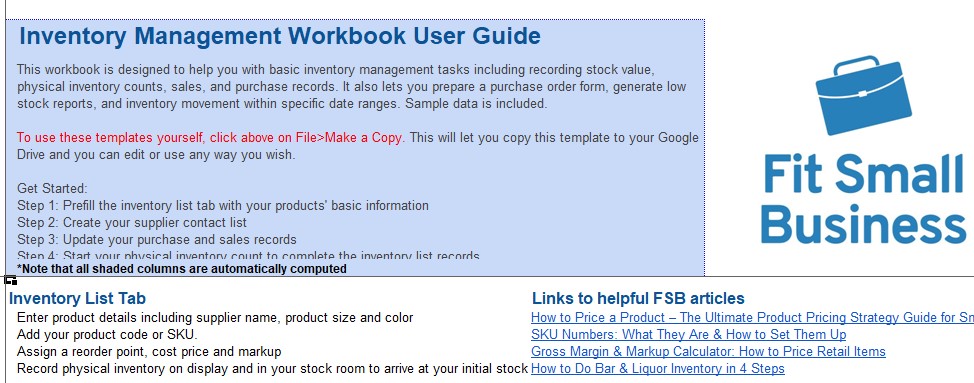
This free inventory management workbook comes with automated low-stock alerts, an inventory countsheet, a barcode generator, barcode scanning functionalities (use your smartphone to scan barcodes), and an easy-to-follow guide to get you started.
Download our free inventory management spreadsheet.
Thank you for downloading!
Odoo: Best overall free inventory management software

Pros
- Unlimited products and locations
- Automated purchase orders (POs)
- Inventory forecasting
- Custom reporting, alerts, and automations
Cons
- Limited customer support
- Limited integrations
- Learning curve
- Extra fees for POS, ecommerce, and other add-ons
Overview
Who should use it:
Businesses looking to automate most of their inventory tasks
Why I chose Odoo
Odoo, a fully open-source inventory system, takes the top spot for free small business inventory software. It’s also completely unlimited, making it great for small businesses with huge inventories. Odoo features a double-entry inventory tracking system and an array of customizable reporting functions. I particularly like the range of automated features that Odoo offers in its free plan, including everything from custom alerts to purchase orders.
Odoo earned 4.6 out of 5 in my evaluation. It’s interesting that you need a paid plan to get invoicing tools when everything else in Odoo’s inventory tracking system is free. It also only has email and forum support, along with training videos while other competitors offer live support. Real-world customers like Odoo, but it does not rate as highly as Square or Zoho.
- Users: Unlimited
- Locations: Unlimited
- Items/Products: Unlimited
- Transactions: Unlimited
- Support: Community and knowledge base
- Integrations: Odoo apps, shipping apps, and application programming interface (API); will connect you to ecommerce apps
- Mobile app:4.0 out of 5 on Android, 2.6 out of 5 on iOS
When to upgrade to a paid plan
- If you need to use other Odoo apps, such as those for accounting or ecommerce
- If you need customizations
Paid plans start at $9.10 per month
Odoo offers many business solutions in addition to inventory, and it makes our lists of the following:
Square: Best free all-in-one retail inventory software

Pros
- Unlimited products, including variations
- Free, industry-specific POS systems for both retailers and restaurants
- Integrated payments with Square Payments
- Syncs across online, in-store, and mobile sales
Cons
- No custom reporting
- Integration with Square POS and Square Payments only
- Unable to create POs in free plan
Overview
Who should use it:
Small businesses looking for an all-in-one POS and inventory provider
Why I chose Square:
Square is best known for its POS system for retailers and restaurants, but it also offers incredible inventory management tools in all of its POS accounts. Every Square for Retail account includes live inventory tracking as they make sales, ecommerce integrations, mobile capabilities, POS, order management, product variants, and more.
Like Zoho, Square has an excellent mobile app, where you can conduct sales and also scan items and perform inventory counts. But what I like about Square the most is that it comes with a free integrated ecommerce website builder, Square Online, so your inventory is updated in real time with your physical store.
Square earned an overall score of 4.58 out of 5 on my evaluation, just below Odoo, which has more inventory management features and can be integrated with other business solutions, whereas Square is exclusive to other Square integrations.
- Users: Unlimited
- Locations: Two
- Items/Products: Unlimited
- Transactions: Unlimited
- Support: Phone, knowledge base, email, and tutorials
- Integrations: Shipping, restaurant management, website builders, scheduling, marketing, health management, and service business apps
- Mobile app: 4.7 out of 5 on Android; 4.7 out of 5 on iOS
When to upgrade to a paid plan
- If you need to create product bundles
- To print barcode labels
- If you need stock forecasting
- For vendor management and to automate purchase orders
Paid plans start at $49 per month for both Retail and Restaurants (30-day free trial for paid plans)
Square POS, along with Square for Retail and Square for Restaurants, are among our most popular POS providers for small businesses. They regularly rank among our lists of:
Zoho: Best free software for managing large inventories

Pros
- Excellent mobile app
- Barcode, shipping, and PO generators
- Dropshipping tools
- Ecommerce integrations
Cons
- Sale and purchase order limits
- No Bill of Materials (BOM), pick lists, or bin ID support
- No forecasting, only supports FIFO costing
Overview
Who should use it:
Growing businesses on a budget that need advanced tools to manage large inventories
Why I chose Zoho Inventory:
Along with allowing for unlimited products, a strong range of integrations, and features like low stock alerts, kitting, and bundling options, Zoho Inventory’s free plan also has shipping tools — you can print packing slips and generate discounted shipping labels from major logistics providers like the United States Postal Service (USPS) and UPS right from your dashboard.
Like Odoo, Zoho offers great flexibility because it’s compatible with other business solutions. In my review, I even found Zoho to have a wider range of free inventory features than Odoo, including a mobile app with excellent user reviews. That said, Zoho’s free plan only supports a single user and could be better with more automations — especially when managing large inventory volume. Zoho earned a score of 4.48 out of 5.
- Users: One
- Locations: One + One Shopify Store
- Items/Products: Unlimited
- Transactions: 50 orders per month
- Support: Chat, forum, email, and knowledge base
- Integrations: Ecommerce, shipping, payment gateways, accounting, CRM, API, and others
- Mobile app: 4.8 out of 5 on Android; 4.7 out of 5 on iOS
When to upgrade to a paid plan
- If you have more than one user
- If you handle more than 50 invoices and 50 purchase orders per month
- To generate barcodes
Paid plans start at $39 per month with monthly billing
(Discounts available with annual payment)
Zoho offers a suite of different products for various small business needs. Some of its software are included in our list of the following:
Toast: Best for all-in-one free inventory management for restaurants

Pros
- Integrated free POS and hardware
- Advanced, granular inventory features
- Unlimited inventory list and users
- 24/7/365 support
Cons
- Locked into Toast ecosystem
- Free plan comes with expensive payment processing fees
- 2-year contract
Overview
Who should use it:
Full-service restaurants and food retailers looking for an all-in-one inventory management solution
Why I chose Toast:
Toast is Square’s counterpart on this list as an all-in-one best free inventory management software — this time for restaurants. It’s as feature-rich as Odoo, but with built-in hardware and payment tools. Toast offers a variety of restaurant-specific inventory tools in its free plan such as real-time ingredient-level tracking, recipe costing, menu management, and more.
With an overall score of 4.47 out of 5, Toast is the best option if you’re looking for an all-in-one POS to manage your growing restaurant business. Despite integration limitations with other POS systems, small businesses, particularly those just starting up, will get the most out of an all-in-one solution and Toast outdid itself with its starter hardware kit options.
However, like Square, using Toast will limit your software flexibility options including payment processing. And one big downside to Toast’s free plan is the expensive transaction fee. So, if you run a low-margin quick-service restaurant, Backbar is the better choice.
- Users: Unlimited
- Location: 1
- Items/Products: Unlimited
- Transactions: Unlimited
- Support: 24/7 live support, knowledgebase, training, installation and network configuration
- Integrations: Time keeping, team management, and basic marketing
- Mobile app: 4.7 out of 5 on Android; 4.9 out of 5 on iOS
When to upgrade to a paid plan
- If you want to sell online
- If you want to manage more than one location
- If you need loyalty and advanced marketing tools
- If you need advance integration options
*Paid plans start at $69 per month
Katana MRP: Best for small manufacturers

Pros
- Complete shop floor control, including supply management
- Able to track items by expiration date
- Able to manage product variants and materials
- Able to adjust manufacturing plans based on material stock levels
Cons
- Free plan up to 30 SKUs and 3 locations only
- Support via email only
- High price point for paid plans
Overview
Who should use it:
Small manufacturers and workshops that need full production management tools but have a small catalog (up to 30 SKUs)
Why I chose Katana MRP:
Katana MRP is a cloud-based manufacturing resource planning (MRP) system built for makers, workshops, and small manufacturers that want full-scale inventory and production tools without upfront cost. Its free plan gives you access to almost all of Katana’s premium features, such as production planning, shop floor control, material requirements, batch tracking, and live inventory, limited only by your catalog size (30 SKUs) and three locations.
I like that Katana’s free plan isn’t a stripped-down version. You can still manage bills of materials, track raw materials and finished goods, and even sync orders from Shopify, WooCommerce, or QuickBooks Online. The 30-SKU cap is a real constraint for large catalogs, but for small-batch manufacturers or custom producers, it’s more than enough to start with a professional-grade MRP platform.
- Users: Unlimited
- Location: Three
- Items/Products: 30
- Transactions: Unlimited
- Support: AI assistant, knowledge base
- Integrations: Ecommerce, CRM, accounting, sales, automation, forecasting, POS, shipping
- Mobile app: None
When to upgrade to a paid plan
- If you need more than 30 SKUs
- If you have more than 3 locations
Paid plans start at $399 per month (Discounts available with annual payment).
Katana is unique because its free plan already unlocks every feature and add-on (plus API access), but you’re capped at 30 SKUs and three locations. If you outgrow that SKU limit, the Standard tier gives you unlimited SKUs (still three locations) but actually fewer included features than Free, such as core operations — advanced insights, multicurrency, custom user permissions, and barcode scanning — but no API and none of the high-end ops tools.
To regain API access and add the heavyweight features, such as full traceability, planning & forecasting, and warehouse management plus 10 locations, you’ll need to step up to the Professional plan. The next higher plan, Professional Plus, lifts locations to unlimited and adds premium support/management.
If you can operate within 30 SKUs and 3 locations, stay on Free to keep all the bells and whistles. Move to Standard only when you need unlimited SKUs, and to Professional when you also need API + advanced ops.
Sortly: Best free inventory app

Pros
- Built-in barcode scanning that supports quick response (QR) codes
- Able to manage multiple warehouses
- Offline mode
Cons
- Low stock alerts only in paid plans
- No kitting capabilities
- No integration capabilities
Overview
Who should use it:
Businesses looking for mobility in managing inventory
Why I chose Sortly:
Note that Zoho also has an offline mode to its mobile app, but its free plan is limited to only two locations, unlike Sortly. You can scan incoming and outgoing inventory even when your phone app doesn’t have a signal — Sortly will sync automatically as soon as you’re back online. Its offline abilities, paired with its multilocation tracking, make Sortly ideal for on-the-go inventory management across multiple locations.
That said, I found the limited inventory support and lack of integration in the free plan essentially restricted Sortly’s multi-location capabilities. If you’re open to using an all-in-one option, Square is a great alternative. Sortly scored 3.96 out of 5 in my evaluation.
- Users: One
- Location: Unlimited
- Items/Products: 100
- Transactions: Unlimited
- Support: Knowledge base, tutorials, and email
- Integrations: None
- Mobile app: 4.7 out of 5 on Android; 4.7 out of 5 on iOS
When to upgrade to a paid plan
- If you have more than one user
- If you have more than 100 products to upload
- To create barcodes and QR codes
- To receive low-stock alerts
Paid plans start at $49 per month (Discounts available with annual payment)
Backbar: Best free inventory management software for small restaurants & bars

Pros
- Unlimited items
- Specialized features for restaurants and bars
- One-click purchasing
Cons
- More detailed reports are only available on the paid plans
- No forecasting tools
- Priority support on paid plans only
Overview
Who should use it:
Quick-service restaurants and small bars looking for inventory software that can work with their current POS system
Why I chose Backbar:
Backbar’s free plan is well-suited for one-location small to midsize bars and quick-service restaurants that need a straightforward, dedicated solution for managing their inventory and menu items. The free plan offers essential inventory management tools and purchasing functionality. It comes with a preexisting database of alcohol products and beverages, and it supports offline inventory mode.
With a score of 3.9 out of 5, Backbar is a great inventory management software choice if you’re just starting up. The paid plan offers more features such as unlimited recipe builder and recipe costing. However, you’ll need to pay over $100 to get cost variance detailed advanced reporting tools. Consider Toast as an alternative.
- Users: Unlimited
- Location: 1
- Items/Products: Unlimited
- Transactions: Unlimited
- Support: Knowledge base, tutorials, and email
- Integrations: Toast, Square, Clover
- Mobile app: 3.8 out of 5 on Android; 3.4 out of 5 on iOS
When to upgrade to a paid plan
- If you have more than one location
- If you need to store more than 10 recipes
- To compute costs per recipe
- To set specific user permissions
Paid plans start at $99 per month (Discounts available with annual payment)
Benefits of an inventory management system (and how it works)
Managing inventory isn’t just about counting what’s on the shelf; it’s about keeping your business efficient, profitable, and ready to grow. The right inventory management system helps you stay organized, cut down on costly errors, and make smarter decisions about what to buy and sell.
What is inventory management software?
Inventory management software is a digital system that helps businesses monitor and control stock, from raw materials and purchase orders to finished goods and sales. Instead of relying on spreadsheets or manual counts, it tracks product movements automatically, showing what’s in stock, what’s selling, and what needs restocking.
How it works
Most inventory systems sync with your POS, ecommerce, or accounting tools. When a sale or purchase happens, your quantities update in real time. Many programs also include barcode scanning, reporting dashboards, and low-stock alerts to help you reorder before you run out. This automation reduces errors, saves time, and improves visibility across locations or sales channels.
Why it matters for small businesses
An inventory management system streamlines day-to-day operations, saves money, and supports growth. With one in place, you can:
- Avoid stockouts and overstocks: Real-time updates keep your counts accurate.
- Save time on manual tracking: Automation replaces repetitive spreadsheet work
- Improve cash flow: See which items move fast and which tie up capital.
- Forecast smarter: Reports reveal sales trends and seasonal demand.
- Enhance customer experience: Always know what’s available to fulfill orders on time.
Even a free system can make a big difference, giving small businesses the control and insight needed to scale efficiently without overspending.
How to choose the best free inventory management system
You can choose from a number of free inventory management software options — to find a solution that matches your business, assess your needs, current systems, and future plans for growth. Make sure to test the systems as well.
Step 1: Determine your needs
Create a list of your must-have features. This should include the number of users, products, orders, and locations the software could accommodate on its free plan.
For this list, also consider the type of inventory you’re tracking and what other information you need to track alongside it — variants, purchase orders, vendor information, individual parts, location within your warehouse, sales or use history, etc. This is where you may need to break your list into must-haves and nice-to-haves. After all, we’re looking at free software, so there will be some limitations. Just consider what you are and aren’t willing to compromise on.
If the answer is you don’t want to compromise on anything, consider choosing from our list of top paid inventory software. There are many options for under $100 per month.
Step 2: Consider any existing systems and software
If you have any existing software, like QuickBooks, an online store, or an order or invoicing system, ideally, your new inventory software can work with it. Having data stored in two systems that don’t talk to each other can result in a lot of time spent manually reconciling records and opening yourself up to a lot of potential human error.
Your inventory software should at least have a one-way push or pull integration (where your inventory data will sync with your other systems, or your other systems will sync with your inventory system); even better would be a two-way sync where data is automatically pushed between both systems.
Related: Best Inventory Software that Integrates with QuickBooks
In addition to software, consider any workflows or procedural systems you may have in place. For example, your inventory receiving process, counting cycles, reporting, or restocking process. Your new software should make these workflows easier — not require you to do additional manual data collection or construct workarounds.
Step 3: Create a shortlist and test for yourself
Once you know what features you need and how they should fit into your day-to-day operations, consider five to 10 systems that meet your basic requirements. Then, depending on your preference, either sign up and test-drive each software for yourself or inquire about a professional demonstration.
One of the benefits of free software is that anyone can sign up and use it, so you have nothing to lose by trying it out.
In my years of testing software, the general trend I’ve noticed is that the easier it is to use, the more limited it may be in terms of features or customization capabilities. On the other hand, incredibly feature-rich software can often have a steep learning curve. Consider which is more important to you — after all, a fancy feature is only helpful if you’re actively using it.
Step 4: Take into account future growth
Finally, before settling on software, consider where your business will be six months, a year, and three years from now. Basic inventory tracking software is easy and fast to set up and while you can always switch inventory systems, it is a giant pain to do so. Try to choose a software that can grow with you.
Frequently Asked Questions (FAQs)
Here are some of the most common questions I encounter about free inventory management for small businesses:
Based on my evaluation, Odoo is the best overall free inventory management software for small businesses, offering unlimited products and users with robust tracking and automation tools. Other strong options include Square for retailers, Toast for restaurants, and Katana for small manufacturers.
Most free inventory software plans are genuinely free but come with limits on SKUs, locations, or integrations. You can use them indefinitely, but advanced features like automation or multi-location tracking often require an upgrade.
Look for real-time inventory tracking, barcode scanning, low-stock alerts, and reporting tools. Integrations with ecommerce, accounting, or POS systems are also key for saving time and reducing manual errors.
Bottom line
Whether you’re just starting out or running a fully established business, managing your inventory should be a key part of your growth strategy. Investing significantly in a software provider will likely suffice, but a feature-rich free version can give your business the best value, depending on what you need.
There are surprisingly many available options in the market, but I found Odoo to be the best free software to manage inventory for small businesses. Its open-source, totally free system works great for small or large inventories and multiple locations, and it has an excellent set of features. You can even integrate it with your other software. Visit Odoo and try it for free today.
Source link