6 Best Free POS Software
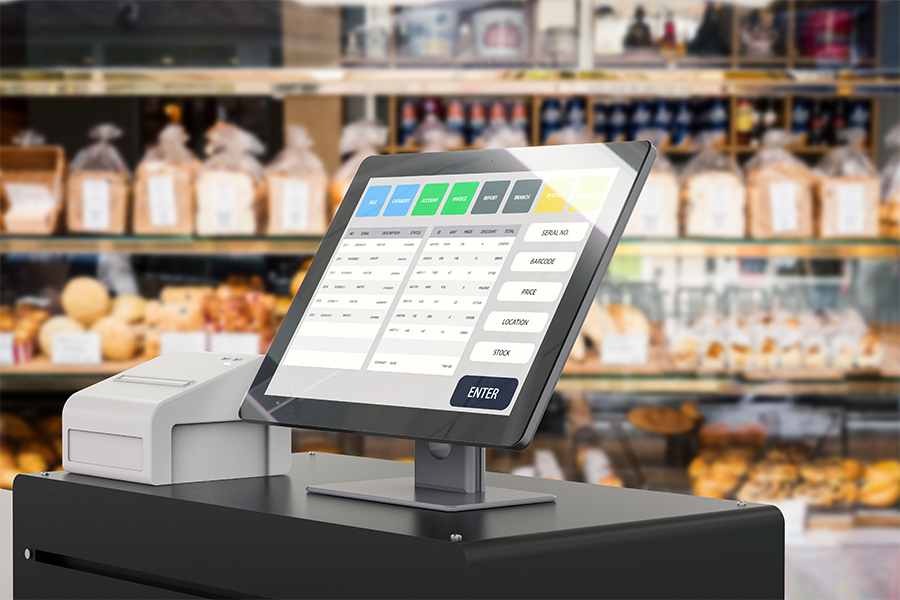
For merchants starting a business or on a tight budget, free point-of-sale (POS) software can help minimize upfront costs. Most free POS systems have basic checkout and inventory management functions, but the best ones also come with built-in payment processing, ecommerce, business management tools, and affordable hardware.
For this guide, I tested the most popular free POS systems on the market today and scored each one according to the quality of their free features, ease of use, limitations, and overall functionality.
Based on my evaluation, the six best free POS software for small business are:
Best free POS software compared
All of my recommendations start with a forever-free plan. Some of them require hardware to start selling — usually, a card reader that pairs with the POS app downloaded to a smartphone or tablet. If you’re looking for features not included in any of my free POS recommendations, check out our list of top competitively priced POS systems.
I have over five years of experience testing and reviewing payment processing technology, merchant services, and POS systems. To evaluate the best free POS software, I first updated my list by researching new providers that offer free POS and fact-checking to ensure that pricing and features are accurate. I then scored each one on 24 data points, prioritizing feature-rich free plans, value-for-money upgrades, and ease of use. See my full methodology below.

Payments Staff Writer at Fit Small Business
Square: Best overall free POS software

Pros
- Built-in payment processing
- Free magstripe reader
- Supports sale of CBD products
- Highly rated POS software
Cons
- Reports of frozen funds
- Lacks free industry-specific features
- Account stability issues
- Limited customer support hours
Overview
Who should use it:
New and small businesses that process sales up to $10,000/month
Why I like Square:
Square offers a completely free POS system for unlimited users and locations. It provides the most features and widest range of free plan options (basic and industry-specific) of the providers on this list. With your free Square POS account, you can sell in-store, online, and via mobile app, and the platform has dedicated POS systems for restaurants, retailers, and salons. You also get a free magstripe card reader to get your business started right away.
As your business grows, Square’s tools can scale with add-on tools and third-party integrations. However, you can’t switch to a different payment processor and keep using Square’s free POS. Check out Loyverse instead for this.
- Built-in payment processing
- Mobile POS app
- Ecommerce tools with website builder
- Basic invoicing features
- Basic team management
- Basic inventory management
- Some customized reports
- CRM tools
- Magstripe reader
- Retail tools: In-store and curbside pickup, social selling
- Restaurant tools: Menu and table management, ticket management
While its processing fees are more expensive than most, Square’s free plan offers everything you might need to run your business, plus advanced plans and add-ons to support your business as it grows. Square locks users into its built-in payments solution, which makes for easy setup but is limited in terms of finding the lowest processing rates possible.
Cost to upgrade:
- Monthly Paid Plans: $49-$149
Payment processing fees:
- Monthly fee: $0
- Card-present processing fee: 2.6% plus 15 cents per transaction
- Keyed-in processing fee and card on file: 3.5% plus 15 cents per transaction
- Online payment processing fee: 2.9% plus 30 cents per transaction
Hardware cost:
- Mobile card reader: $0-$59
- Smart terminal: $299 or $27 per month for 12 months
- Countertop terminal: From $149-$799 (installment plans available)
Though Square’s free plan features are more than adequate for running a small business, there are still plenty of reasons and ways to upgrade. In addition to upgrading your software plan to get advanced inventory, reports, and team management, there are paid add-ons for loyalty, marketing, and payroll that you can add to any Square account.
Once you’ve purchased these add-ons, they appear directly on your POS dashboard, ready for immediate use. No other POS system offers so many native add-ons.
Read our reviews for:
Also read: Our recommended alternatives to Square
Helcim: Best for wholesalers and large-ticket items

Pros
- Free ecommerce/website builder
- Built-in free credit card processing program
- Full access to all Helcim features
- Automated volume discounts
Cons
- Add-on cost for Amex payments
- Swipe transactions only for healthcare systems
- Lacks native POS add-on features
- Limited hardware choices
Overview
Who should use it:
B2Bs, wholesalers, fast-growing subscription services, and businesses selling large-ticket items (automotive, real estate, jewelry, art)
Why I like Helcim:
Helcim is primarily a traditional merchant account service provider that has since developed its own POS software. The system does not have full industry-specific features, such as those of Square and Toast, but it’s equipped with sophisticated matrix inventory and customizable checkout tools.
Helcim also has an integrated website builder and mobile POS app. What makes Helcim stand out, though, is its interchange-plus transaction fee pricing, providing the cheapest rates on our list. And with the built-in automated volume discount, merchants are assured of the lowest fees without the need to request Helcim to review their rates.
- Free POS software
- Advanced inventory management
- Online catalog and customer portal builder
- Payment processing
- Free credit card processing program
- HIPAA compliance for healthcare services
- Invoicing and billing features
- Dispute management
- SDK and API documentation
Cost to Upgrade: None
Payment Processing Fees:
- Monthly fee: $0
- Card-present fee: Interchange plus 0.15% + 6 cents to 0.4% + 8 cents
- Card-not-present fee: Interchange plus 0.15% + 15 cents to 0.50% + 25 cents
- American Express transactions: 0.10% + 10 cents
Hardware Cost:
- Mobile card reader: $199
- Smart terminal: $349 or $32 for 12 months
Helcim lacks industry-specific POS features, and there are no paid Helcim POS plans for upgrade. That said, Helcim’s developer tools are available to customize POS features based on your requirements.
Also, Helcim’s payment processing services are designed for fast growth, so merchants that need advanced POS tools to handle increasing sales can still use their Helcim merchant account and integrate it with other software such as accounting, order management, and CRM.
Toast: Best for full-service restaurants

Pros
- Zero upfront cost including hardware
- Hardware options in free plan
- Industry-specific features
- Industry-grade hardware
Cons
- Lacks inventory tools in free plan
- High single flat-rate fee for free plan
- 2-year contract
- Charges inactivity fee
Overview
Who should use it:
Toast’s free plan is ideal for new and small full-service restaurants looking to minimize their upfront cost.
Why I like Toast:
The Toast free plan offers a choice of industry-grade hardware, restaurant features, and a built-in payment processing bundle. No other POS on this list makes a pay-as-you-go plan with a complete POS hardware setup that allows merchants to start their business with zero upfront cost.
Toast’s free plan also provides “sub-plans” that give users access to additional features. Note, however, that it will tie you into a two-year contract and higher transaction rates; consider upgrading to a paid plan once your business begins to accept large-volume payments.
Toast offers a single flat-rate transaction fee for its free plan, which varies as new features are added. Transaction fees are different for plans with monthly fees.
- Choice of countertop and handheld hardware kit
- Basic restaurant POS software
- Transaction fee: 3.09% + 15 cents
- Built-in payment processing
- 24/7 customer support
- Reporting and analytics
- Transaction fee: 3.39% + 15 cents
- + Online ordering
- + DoorDash, Uber Eats, and Grubhub integration
- Transaction fee: 3.69% + 15 cents
- + Loyalty
- + Email Marketing
- + Ecommerce website
- + Catering & events scheduling
- + Basic team management & Payroll
Toast’s paid plans are lower but merchants must purchase the hardware upfront. Add-on options are like the free plan but are charged a separate add-on monthly fee instead.
Cost to upgrade:
- Monthly Paid Plans: $69 and custom pricing
Payment processing fees:
- Card-present processing fee: 2.49% + 15 cents
- Keyed-in processing fee: 3.5% + 15 cents
- Online payment processing fee: 3.5% + 15 cents
Hardware cost:
- Smart terminal: $539.10
- Countertop kit: $629.10
- Guest-facing display: $134.10
- Kitchen display screen: $611.10
Toast’s free plan is perfect for small, full-service restaurants, but you will have to consider upgrading to a paid plan if you find that your business is expanding quickly or you wish to add mobile, online, and delivery to your source of revenue.
Additionally, you might want to upgrade if you see a steady increase in your monthly sales from both online and dine-in customers to save on transaction fees.
PayPal POS: Best for occasional and PayPal sellers

Pros
- Works for international sales
- Includes PayPal payment processor; PayPal checkout options, peer-to-peer (P2P), and QR payments
- Competitive payment processing fees
- No long-term contracts
Cons
- No free hardware
- Only basic employee management tools
- No offline processing
- Limited POS integrations
Overview
Who should use it:
Freelancers, hobbyists, occasional or seasonal sellers, such as those that sell to tourists
Why I like PayPal POS:
PayPal Zettle, recently rebranded as PayPal POS, is a free, full-featured POS system (replacing PayPal Here) that offers both in-person and online sales solutions. It is popularly known as one of the best alternatives to Square for mobile and POS payments, with its lower in-person transaction fees and variety of payment methods.
Businesses with a PayPal merchant account can accept card payments, gift cards, digital wallets, and P2P payments, such as Venmo and PayPal quick response (QR) codes. This makes PayPal POS a great option for freelancers, hobbyists, and other microbusinesses.
- Mobile POS app (Android and iOS)
- Mobile payment processing
- Built-in invoicing features
- Discounted first mobile card reader
- Inventory management
- Basic team management
- Bulk inventory transfers
- Multichannel sales management
- Basic reporting features
- Accounting and online sales integrations
Cost to upgrade:
- Monthly Paid Plans: $0
- Virtual Terminal: $30/month
- Payment Gateway: $25/month
Payment processing fees:
- Monthly fee: $0
- Card-present processing fee: 2.29% + 9 cents
- Keyed-in processing fee: 3.49% + 9 cents
- Invoice payment processing fee: 3.49% + 9 cents
- QR code payment fee: 2.29% + 9 cents
Hardware cost:
- Mobile card reader: $79, first reader discounted at $29
- Smart terminal: From $199
- Countertop terminal: From $159
You must pay a monthly fee if you want to use PayPal’s virtual terminal and payment gateway. Also, PayPal POS has no business tool add-ons, except for third-party applications. You can integrate the platform with ecommerce software like BigCommerce, accounting software like QuickBooks, appointment software like Timely, or even other POS software like Lightspeed and Loyverse.
So, if you like PayPal for payment processing but the POS software does not quite fit the bill, consider third-party options. Most of these integrations, however, come with a fee.
Read more about PayPal payment processing:
eHopper: Best for minimizing POS fees

Pros
- Integrated third-party payment processors
- Free advanced inventory and loyalty management tools
- Free credit card processing program
Cons
- Free plan locked into eHopper payment processing
- Requires monthly minimum sales of $5,000 + $20 in transaction fees
- Not compatible with iOS devices
Overview
Who should use it:
Retail and restaurants that process a monthly minimum credit card sales of $5,000
Why I like eHopper:
eHopper is a POS system that includes many useful features even in the free subscription. However, you can also get more advanced POS plans for retailers, restaurants, service businesses, and quick-service restaurants (QSRs) for free if you use eHopper’s built-in payment processing and process at least $5,000 monthly in credit card sales.
I like how eHopper’s free plan helps small businesses to minimize their ongoing cost. It even comes with a built-in surcharging and cash discounting program making it possible to avoid processing fees. Combined with the free POS plan, you stand to save a lot of capital by choosing this software.
The eHopper free plan locks users to its built-in merchant processing service.
- Payment processing
- Inventory management
- Basic reporting
With advanced plans, free with minimum processing requirements:
- Advanced Inventory management
- CRM
- Loyalty management
- Tax computing
- Built-in credit card processing
- Surcharging and cash discounting
- Cash tracking
- Barcode manager
- Digital signage app
- Retail tools: Modifier management, Store transfer
- Restaurant tools: Kitchen display system (KDS), menu builder, table management, tip management
eHopper provides merchants with the option to choose between its built-in payment processing solution (powered by GoDaddy Payments) or integrate with third-party payment processors Nuvei, Evo Payments, TSYS, First Data, and North American Bank.
Cost to upgrade:
- Monthly Paid Plans: $14.99-$39.99 (paid monthly), or $10-$35.99 (paid annually)
- Ecommerce plan: Minimum $29.99/month
Payment processing fees: Based on built-in payment processing rates
- Monthly fee: $0
- Processing fee: From 2.5% + 10 cents (minimum of $20/month)
Hardware cost:
- Credit card terminals: $186-$710
- POS hardware bundles: $999-$1,499
As your business grows and you find yourself needing tools beyond basic reporting and inventory management, consider upgrading to the Omnichannel plan ($35.99-$39.99)—you’ll get more robust reporting tools, as well as unlimited products and transactions to work with. If you plan to offer online ordering at your restaurant, you must upgrade your subscription as well.
Loyverse: Best for quick-service restaurants

Pros
- Choice of third-party payment processor
- Free kitchen display system (KDS)
- Loyalty program in baseline POS
- Free multilocation management
Cons
- No free hardware option
- 24/7 customer support only for paying customers
- Access to integration is an add-on
- Limited payment processor options
Overview
Who should use it:
Small QSRs with multiple locations, such as cafes and food kiosks
Why I like Loyverse:
Loyverse is a popular POS system because it offers so much for free: analytics, kitchen display, customer display, ticket and order management, table management, and customer management. The free KDS is one reason I recommend it for quick-service restaurants.
Loyverse is also the only system on this list that offers a free integrated loyalty program. If you are running a restaurant and don’t want to use Square as your payment processor, Loyverse is also worth considering because it lets you choose your merchant service.
- Basic POS software
- Choice of payment processor: SumUp and PayPal
- Loyalty program
- Multilocation management
- Basic sales analytics and inventory reports
- Kitchen display system
- Customer display system
Cost to upgrade:
- Advanced Inventory: $25
- Employee Management: $5
- Access to Integrations: $9
Payment processing fees:
Depends on your choice of payment processor. US merchants can either use PayPal Zettle or SumUp.
Hardware cost:
Contact Loyverse for pricing
Busy restaurants and caterers wanting to track ingredients should consider adding Loyverse’s advanced inventory and employee management, which includes time clocks, sales tracking, and efficiency reports. Better yet, restaurants that have the budget for a paid system should consider investing in Toast.
How do you choose a free POS software?
While it might be easy to fixate on the zero-cost software and tools you get with free POS systems, you must consider other factors when deciding whether to use such systems and which one is best for your business. Free does not necessarily mean great, so examine the following points when deciding on a free POS system.
1. Consider free vs paid features
Just because the base POS software and key features are free doesn’t mean that you’ll get full functionality without paying a cent. POS systems with free options also offer paid plans, which you must use if you want the full suite of tools. The exact features behind the paywall will depend on each POS provider but often include advanced functions for inventory management, reporting, ecommerce, and location management.
Paid versions of free POS systems will require a monthly payment, which can vary widely. If you need specific or advanced tools for your business to run smoothly, be sure to check whether these are available in the free plan or if you must pay; and if so, how much.
2. Identify necessary industry-specific tools
Just like free doesn’t always equal good, free doesn’t necessarily mean flexible. Whether you’re using free POS software or a paid system, make sure that the included tools and features are suitable for your business type.
If you run a restaurant, you’ll need order and table management, digital menus, and online ordering and delivery—all available in the Toast POS. If you want a simple but effective loyalty program and flexibility with payment providers, go with Loyverse. If you run a retail shop and you want multilocation inventory management and basic ecommerce tools, Square is a good bet.
The takeaway here is to take a good look at the industry-specific tools offered by each free POS system and choose the software best suited for your business.
3. Decide on a web-based vs app-based platform
You must also ascertain whether the POS software you choose is web-based, app-based, or both. Not all systems have a mobile app available, and this can make things more difficult for businesses that need high sales mobility such as large retail shops, those with traveling sales staff, and restaurants with lots of tables to attend to.
Note also that app versions of a POS software may not always have the same features as the web version, and the user experience and user feedback may vary as well.
4. Choose hardware based on how you want to accept payments
Finally, consider the available hardware for each POS system; free software doesn’t automatically mean free hardware. Providers will vary widely with the hardware they offer: some will provide free hardware, others will not, and full kits are often available for purchase as well as single devices.
In case your chosen provider does not offer free hardware, set aside a portion of your budget to buy the devices you need. Make sure as well that the type of hardware you obtain is suitable for your business—whether that’s card readers, countertop kits, or mobile POS devices.
Learn more: What is a POS system?
Methodology: How I evaluated the best free POS software
To build this list of the best free POS software for small businesses, I analyzed 17 providers across 24 data points, focusing on systems that offer true free plans with no upfront costs or monthly fees. I prioritized solutions that deliver strong core POS functionality within their free tier, along with reliable performance and positive user feedback.
From this analysis, six systems stood out as the most well-rounded, feature-rich, and practical options for small business use. Each provider was evaluated using consistent criteria that reflect how businesses compare POS systems in real purchasing decisions, including the following categories:
- Pricing & value (30%): I examined what each free plan actually includes, since “free” often comes with limitations. I considered upgrade costs, hardware pricing, and overall value to determine how usable each system is without requiring paid add-ons.
- General features (20%): I evaluated the core POS capabilities included in the free plan, such as sales processing, inventory tracking, customer management, employee tools, and built-in loyalty features.
- Additional features (15%): I looked at added functionality that extends beyond basic POS tools, including ecommerce capabilities, multi-location management, industry-specific features (like restaurant tools), and available integrations.
- Ease of use (20%): I assessed how intuitive each system is, factoring in setup, interface design, device compatibility (mobile and desktop), cloud accessibility, and the availability of customer support.
- Expert score (15%): I incorporated hands-on experience, overall feature quality, and real user feedback to evaluate how each system performs in real-world business environments.
When possible, I reviewed platforms through free plans, demos, or hands-on testing to better understand day-to-day usability and performance. Square came out on top as the best free POS system for small businesses. This isn’t a surprise—Square also ranks on our lists of the following:
Frequently asked questions (FAQs)
These are some of the most common questions we get about free POS software.
All of the providers in this guide offer a free POS software plan. Square offers the best value while Toast provides a complete restaurant setup.
Yes, Square has the most feature-rich free plan, so you get invoicing, an ecommerce platform, and a payment processor for free on top of industry-specific POS software. Please note that you will still incur payment processing fees for accepting card payments based on your monthly sales volume.
You can run your business effectively with a free Square POS account, which means $0 per month to use the POS software. The only fees you will pay Square would be the transaction fees for accepting card payments, which vary per month.
Bottom line
If all you need is a basic POS system, there are free ones that do the job. The products listed above are my top picks for free POS systems and are great to get you started—and they may be all you need. If not, most offer more advanced features via upgrades or add-ons, for reasonable prices.
I recommend Square as the best free POS software for small businesses because it offers a free version with unlimited uses, reasonable processing fees, and an extensive register and inventory feature set for practically all business types. It even has a free online store, so you are not tied to physical sales. Sign up for a Square account to experience all this for yourself.
Source link